
Unit Circle Sine Demonstration
Loading the math board and drawing, please wait…
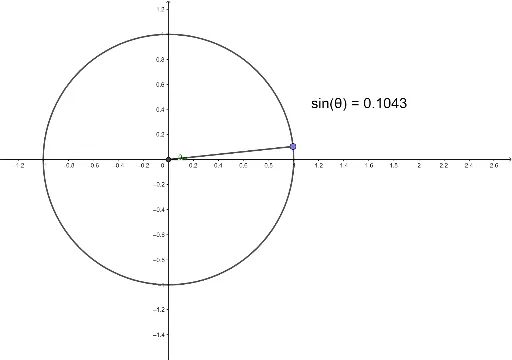
This example demonstrates the sine function on the unit circle. It involves core concepts of trigonometry, showing how the sine value changes with angles on the unit circle. Commands used include Intersect, Circle, Point, Segment, OrthogonalLine, and Angle. Suitable for high school mathematics education, particularly in trigonometry and geometric construction.
GeoGebra Commands & Parameters
Intersect(xAxis, yAxis) → ACircle(A, 1) → cPoint(c) → PIntersect(xAxis, yAxis) → CSegment(C, P) → fOrthogonalLine(P, xAxis) → gIntersect(g, xAxis) → DSegment(D, P) → hIntersect(c, xAxis, 2) → EAngle(E, C, P) → θ
AI Drawing Prompt Reference
Draw a unit circle sine function demonstration. First, draw a unit circle in the coordinate system, then select a point P on the circle, draw a perpendicular line from P to the x-axis, intersecting at point D, then draw a perpendicular line from the line PD to the x-axis, intersecting at point C, then select the second intersection point E on the circle with the x-axis, finally draw angle ECP to show the change in sine value.
The prompt above was compiled from the original drawing commands and is for reference only.