
Unit Circle Investigation: Visualizing Angles, Arcs, and Trigonometric Functions
Loading the math board and drawing, please wait…
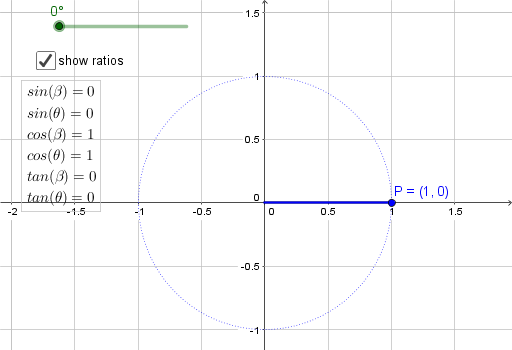
This GeoGebra example dynamically demonstrates the relationships between an angle on the unit circle, the corresponding arc length, and the coordinates of a point on the circle, making the unit circle a visual foundation for trigonometric functions. Core mathematical concepts include the unit circle, radian measure, sine, cosine, and tangent, as well as the conversion between degrees and radians and the parametric representation of points on a circle. The construction uses commands such as Rotate to move point P by angle α, Arc to draw the circular arc, Segment to create radii and perpendicular segments, and Angle to label angles θ and β. Key objects include center O, unit circle c, rotating point P, angle parameter α, arc d, segments f and g, auxiliary line h, and text1, all driven by a slider for interactive exploration. This resource is ideal for high school students learning trigonometry and radian measure, as well as for college preparatory review or teacher-led demonstrations, helping learners grasp the periodic nature and coordinate definitions of trigonometric functions through geometric intuition.
GeoGebra Commands & Parameters
Rotate(A, α, O) → PArc(c, A, P) → dSegment(O, A) → fSegment(O, P) → gAngle(A, O, P) → θSegment(P, (x(P), 0)) → hAngle((x(P), 0), O, P) → β