
Unit Circle Draw Trig Graphs
Loading the math board and drawing, please wait…
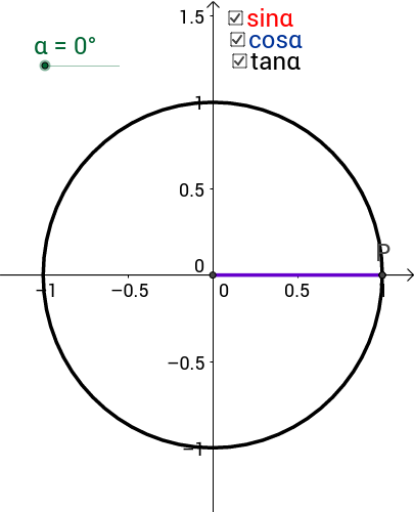
This example dynamically demonstrates the relationship between points on a unit circle and trigonometric graphs, visually illustrating the generation of sine and cosine functions. Core mathematical concepts include the unit circle, trigonometric functions, angles, and coordinate transformations. Construction highlights from the summary involve commands like Intersect, Circle, Rotate, Angle, Line, Segment, and OrthogonalLine using GeoGebra. Suitable for high school students and teachers to understand the origin and properties of trigonometric graphs, serving as an educational demonstration tool.
GeoGebra Commands & Parameters
Intersect(xAxis, yAxis) → ACircle(A, 1) → cIntersect(c, xAxis, 2) → BRotate(B, α, A) → PAngle(B, A, P) → βLine(A, P) → aSegment(P, C) → bSegment(A, C) → dOrthogonalLine(B, xAxis) → eIntersect(a, e) → DSegment(D, B) → g
AI Drawing Prompt Reference
Draw a unit circle and take a point P on it, rotate this point to form angle β, draw a line a through points A and P, draw a line e perpendicular to the x-axis through point B, let line a intersect line e at point D, connect points B and D, connect points A and C, and connect points P and C.
The prompt above was compiled from the original drawing commands and is for reference only.