
Unit Circle Components
Loading the math board and drawing, please wait…
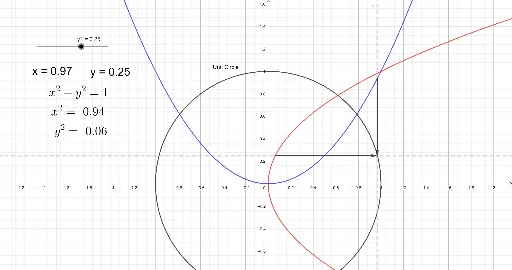
This example demonstrates the various components of the unit circle. It involves core concepts of trigonometry and coordinate geometry. By using vector, point, and text objects, users can dynamically explore points on the unit circle and their coordinates. This example is suitable for high school mathematics education, particularly for learning trigonometry and coordinate geometry.
GeoGebra Commands & Parameters
Vector((xp, xp^(2)), (xp, y1)) → pxVector((y1^(2), y1), (xp, y1)) → py
AI Drawing Prompt Reference
Draw a unit circle centered at the origin. Place a movable point on the circle. From this point, drop perpendiculars to the x-axis and y-axis, marking the two foot points. Use two arrowed vectors: one from the origin to the movable point, and two from the movable point to each foot point. Label the coordinates of the movable point and show how they relate to the trigonometric functions of the angle. The diagram should dynamically illustrate how the point's coordinates change as it moves around the circle, emphasizing the connection between trigonometry and coordinate geometry.
The prompt above was compiled from the original drawing commands and is for reference only.