
Unit Circle by Fred Del-Pin
Loading the math board and drawing, please wait…
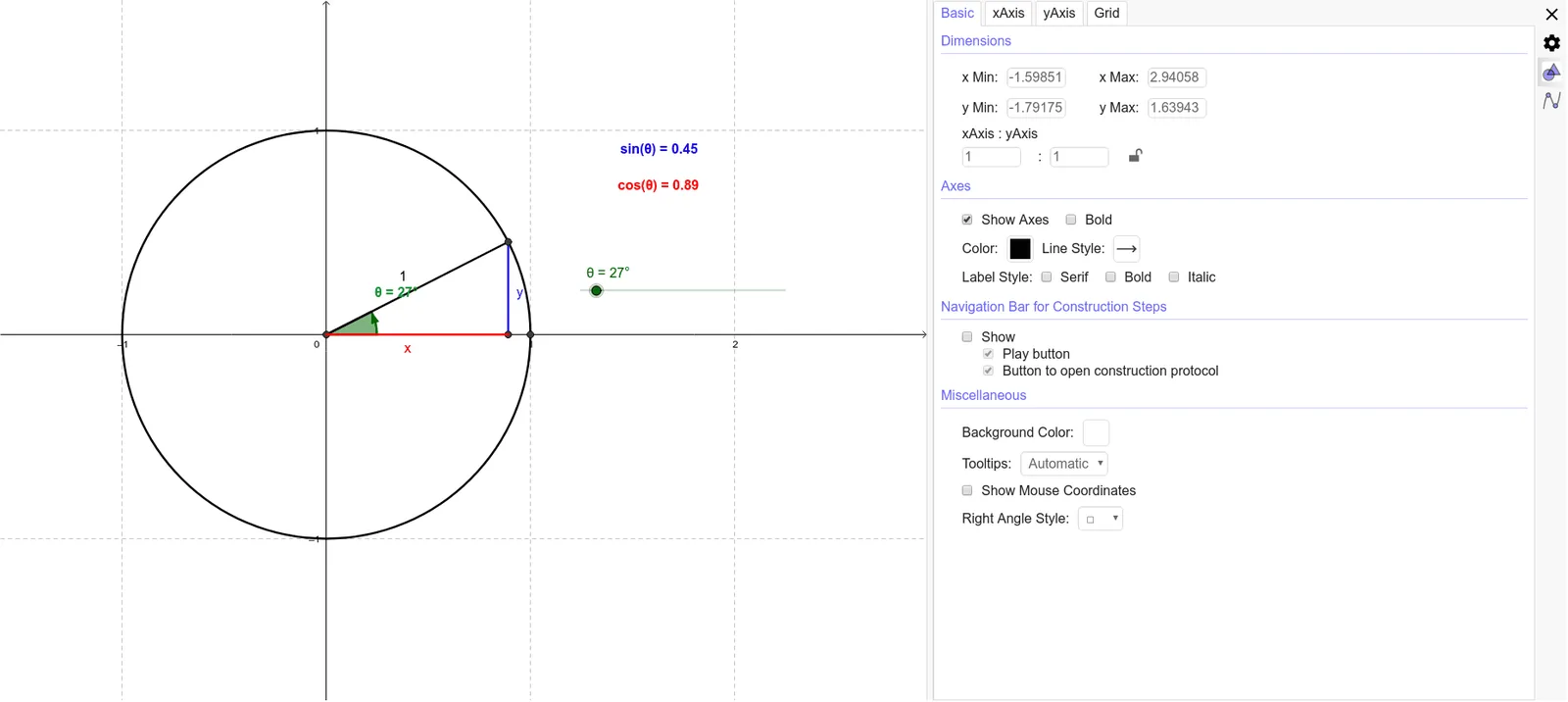
This example demonstrates the basic properties of the unit circle. Key mathematical concepts include the definition and properties of a circle. Using GeoGebra commands such as Intersect, Circle, and Rotate, dynamic displays of points and angle relationships on the unit circle are shown. Suitable for students in middle school and above learning geometry and trigonometry.
GeoGebra Commands & Parameters
Intersect(xAxis, yAxis) → ACircle(A, 1) → cIntersect(c, xAxis, 2) → BRotate(B, θ, A) → B'Angle(B, A, B') → αSegment(A, B') → bOrthogonalLine(B', xAxis) → dOrthogonalLine(B', xAxis) → aIntersect(a, xAxis) → CSegment(A, C) → eSegment(C, B) → fSegment(B', C) → gCircleArc(A, B, B') → k
AI Drawing Prompt Reference
Draw a unit circle with its center and the intersection point with the x-axis. Mark the other intersection point of the circle with the x-axis. Rotate this point by angle θ around the center to get a new point. Connect the center to this new point and label the angle between this line and the x-axis. From the new point, draw a perpendicular line to the x-axis, marking the intersection point. Connect the center to this intersection point, and also connect this point to the original intersection and the rotated point. Finally, highlight the arc on the circle from the original intersection to the rotated point.
The prompt above was compiled from the original drawing commands and is for reference only.