
Unit Circle and Trigonometric Functions by Jamie Hansen
Loading the math board and drawing, please wait…
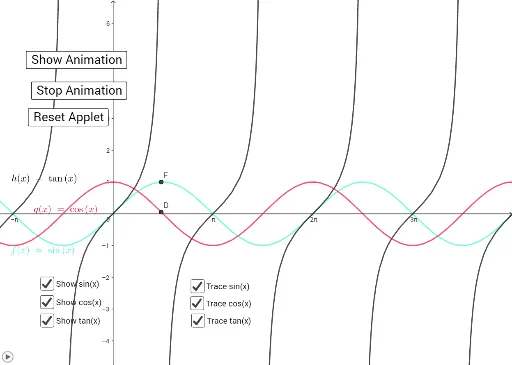
This GeoGebra example dynamically illustrates the relationship between the unit circle and the primary trigonometric functions (sine, cosine, tangent). It visualizes how an angle's measure, represented as a rotating ray from the circle's center, determines the corresponding function values and generates periodic wave graphs. Core mathematical concepts include radian measure, the right-triangle definition of trig ratios, and the geometric derivation of sinusoidal curves. Construction leverages GeoGebra commands such as Circle, Point, Intersect, and Angle, with interactive sliders to vary the angle and update function outputs in real time. It is well-suited for high school precalculus trigonometry units, bridging geometric intuition with algebraic function representation, and serves as an introductory resource for calculus concepts involving periodic functions.
GeoGebra Commands & Parameters
Circle((0, 0), 1) → cPoint(c) → AIntersect(xAxis, yAxis) → BIntersect(c, xAxis, 2) → CAngle(C, B, A) → α
AI Drawing Prompt Reference
Draw a unit circle centered at the origin with the x- and y-axes visible. Place a movable point on the circle, and draw a ray from the center through this point. Mark the angle between this ray and the positive x-axis, using the intersection of the circle with the positive x-axis as the reference for the angle's initial side. The diagram should illustrate how the point's coordinates relate to sine and cosine values as the angle changes.
The prompt above was compiled from the original drawing commands and is for reference only.