
Unit Circle and Trigonometric Function Lines Dynamic Demo
Loading the math board and drawing, please wait…
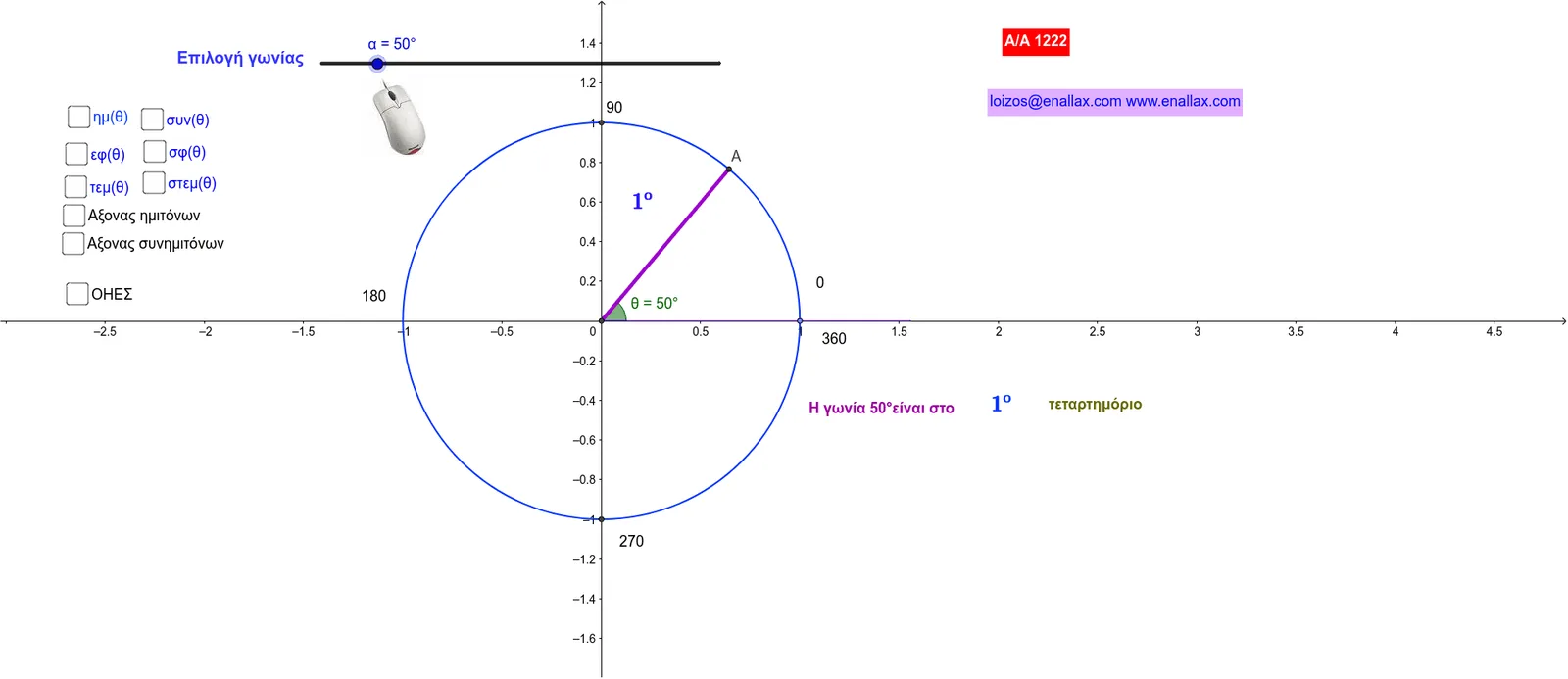
This GeoGebra example constructs a unit circle (radius 1) and dynamically illustrates how the six trigonometric functions—sine (ημ), cosine (συν), tangent (εφ), cotangent (σφ), secant (τεμ), and cosecant (στεμ)—are represented geometrically as line segments on the circle as angle θ varies. Core mathematical concepts include the unit circle definition of trigonometric functions, trigonometric line segments (sine line, cosine line, tangent line, etc.), angle-radian conversion, and periodicity. Construction highlights: the Circle command creates the unit circle, Point and Intersect define a moving point on the circle, Rotate applies angle θ, Angle labels the angle, OrthogonalLine and Line build perpendiculars and auxiliary lines, Segment connects relevant points, Tangent draws tangent lines, and If controls conditional display of different function lines. A slider animates the angle. This resource is ideal for high school or introductory college students learning trigonometry, and for teachers demonstrating the geometric meaning of sine, cosine, and tangent values on the unit circle.
GeoGebra Commands & Parameters
Intersect(xAxis, yAxis) → A_1Point(xAxis) → B_1Circle(A_1, B_1) → cRotate(B_1, α, A_1) → AAngle(B_1, A_1, A) → θOrthogonalLine(A, xAxis) → aOrthogonalLine(A, yAxis) → bOrthogonalLine(B_1, xAxis) → dLine(A_1, A) → eIntersect(yAxis, b) → HIntersect(a, xAxis) → BSegment(A, H) → fSegment(A_1, B) → gSegment(H, A_1) → hSegment(A, B) → iIntersect(c, yAxis) → E, FOrthogonalLine(F, yAxis) → jIntersect(d, e) → ΓIntersect(e, j) → ΔSegment(F, Δ) → kSegment(B_1, Γ) → lTangent(A, c) → m,Intersect(m, xAxis) → TIntersect(yAxis, m) → ΣSegment(A_1, T) → nSegment(A_1, T) → pSegment(A_1, Σ) → qSegment(A_1, B) → rIf(sin(θ) ≤ 0, 1, 0) → redIf(sin(θ) > 0, 1, 0) → bleSegment(A_1, A) → sIf(cos(θ) ≤ 0, 1, 0) → redcosIf(redcos > 0, 0, 1) → blecosIf(tan(θ) ≤ 0, 1, 0) → redtanIf(redtan > 0, 0, 1) → bletanSegment(Σ, T) → tLine(F, E) → a_1Line(A_1, B_1) → b_1
AI Drawing Prompt Reference
Draw a unit circle centered at the origin with adjustable radius. Place a moving point on the circle, controlled by a slider for the angle, and display the angle label. From the moving point, draw perpendiculars to the x-axis and y-axis, marking the feet. Connect the center, the moving point, and the feet to form a right triangle. Outside the circle, draw a tangent line intersecting both axes, and connect the relevant intersection points to form segments representing sine, cosine, tangent, cotangent, secant, and cosecant. Color these segments differently based on the sign of the angle, and update them dynamically.
The prompt above was compiled from the original drawing commands and is for reference only.