
Types of Functions: Interactive Overview from Linear to Trigonometric
Loading the math board and drawing, please wait…
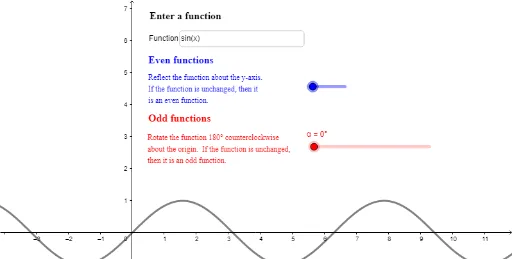
① This GeoGebra example presents an interactive gallery of major function types—linear, quadratic, polynomial, power, exponential, logarithmic, piecewise, step, and trigonometric—allowing learners to visually compare their distinct graphs and behaviors. ② Core mathematical concepts include function definition, graphical representation, classification of functions (linear, quadratic, polynomial, power, exponential, logarithmic, piecewise, step, trigonometric), and the effects of geometric transformations (rotation, reflection) on function graphs. ③ Construction highlights: from the summary, it uses a Textfield for user input/selection of functions, along with Rotate and Mirror commands to transform the graphs, plus multiple text objects (text1–text5) and sliders (α, h, t) for dynamic parameter adjustment, enabling interactive exploration. ④ Suitable for middle and high school mathematics (function units) as well as pre-calculus review, helping students build a holistic understanding of function families and deepen comprehension of graph transformations through hands-on manipulation.
GeoGebra Commands & Parameters
Textfield(f) → inputBox1Rotate(f, α, (0, 0)) → hMirror(f, yAxis) → g
AI Drawing Prompt Reference
Create an interactive overview of major function types including linear, quadratic, polynomial, power, exponential, logarithmic, piecewise, step, and trigonometric functions, each distinguished by color or line style. Include a text input field for selecting or entering a function expression. Add two sliders to control rotation angle and horizontal shift, allowing dynamic rotation and mirror reflection of the graphs. Place several text labels to indicate function names or transformation effects. Arrange the layout clearly for easy comparison of graph characteristics.
The prompt above was compiled from the original drawing commands and is for reference only.