
Two Intersecting Planes in 3D Space
Loading the math board and drawing, please wait…
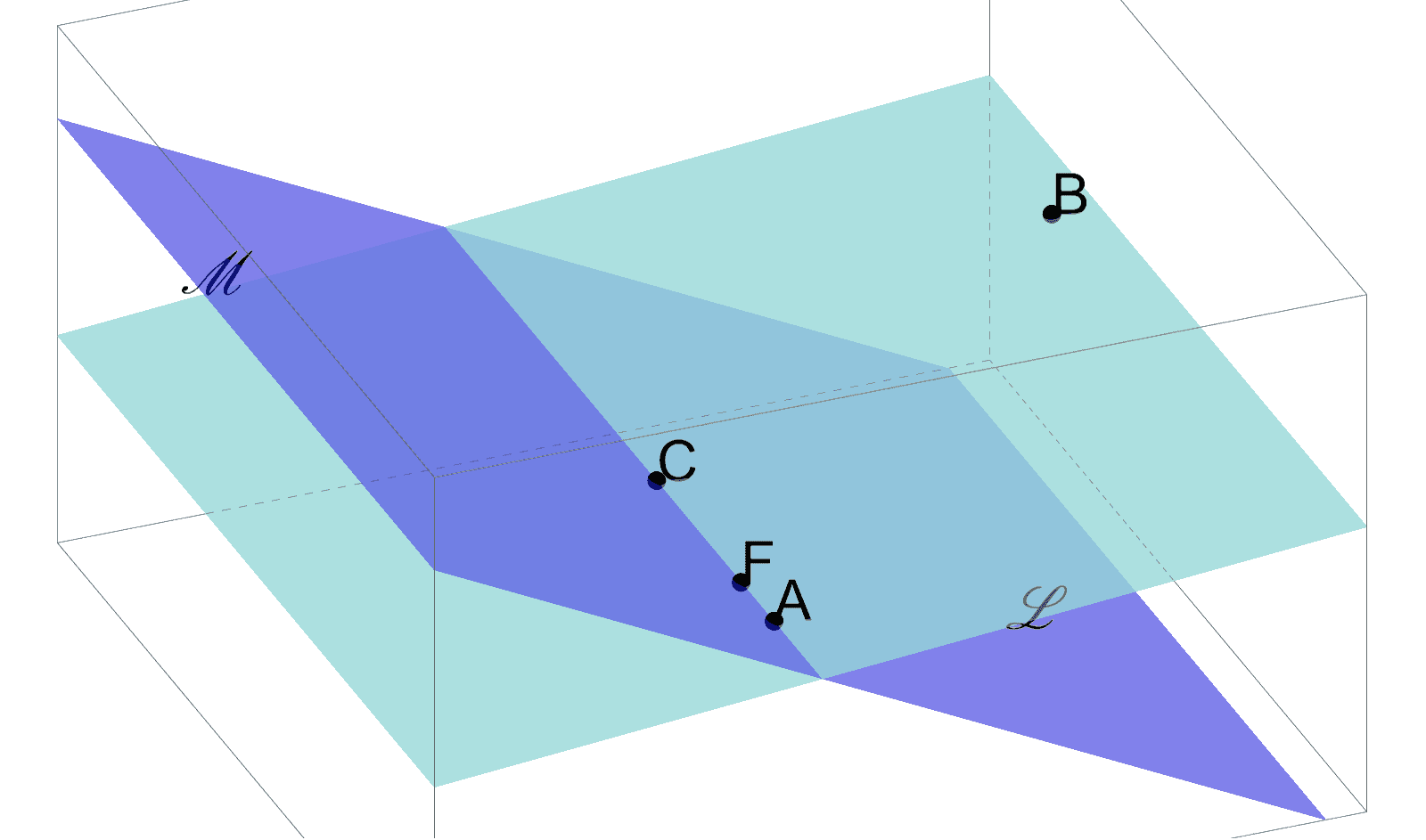
This GeoGebra example demonstrates the intersection of two planes in three-dimensional space, visually showing how their common line is formed. The core mathematical concepts include spatial relationships between planes, the definition of a line of intersection, and point-plane incidence. Construction highlights: using Point commands to create spatial points A, B, C, etc., Plane to define plane a through three points, PointIn to place points F, G on the plane, plus auxiliary points D, E and text labels to annotate key elementscars. Suitable for high school solid geometry or introductory university analytic geometry, this helps students grasp the geometric essence of plane intersections and enhance spatial reasoning.
GeoGebra Commands & Parameters
Point(xAxis) → CPlane(A, B, C) → aPoint(yAxis) → FPlane(C, A, G) → bPointIn(a) → DPointIn(b) → E
AI Drawing Prompt Reference
Draw two intersecting planes in 3D space. Plane a is defined by points A, B, and C. Plane b is defined by points C, A, and G. The intersection of the two planes forms a line, with points F and E on this line. Label these points to illustrate the concept of plane intersection.
The prompt above was compiled from the original drawing commands and is for reference only.