
Turned Tiles Translated
Loading the math board and drawing, please wait…
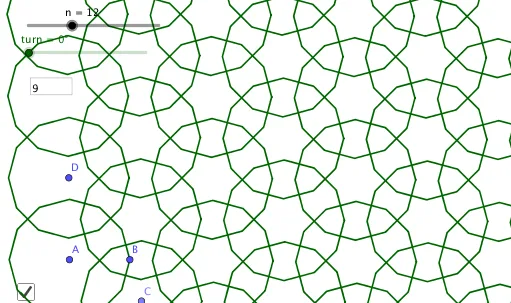
This example demonstrates the creation of interesting tile patterns through translation and rotation operations. Key mathematical concepts include rotation, translation, and geometric construction. Using GeoGebra commands such as Point, PolyLine, Sequence, and Textfield, dynamic geometric figures can be constructed. Suitable for middle school and above students to learn geometric transformations and figure construction.
GeoGebra Commands & Parameters
Point(Ray[A, A + (1, 0)]) → BPolyLine(Sequence[Rotate[B, (i * (360°) / n), A], i, 0, n]) → fSequence(Translate[Rotate[f, (i * turn), A], (i * (C - A))], i, 0, kmax) → l1Textfield(kmax) → InputBox1Sequence(Translate[l1, (i * (D - A))], i, 0, kmax) → l2
AI Drawing Prompt Reference
Create a tile pattern generated by rotation and translation. First, create point B on ray A. Then, rotate B around point A to generate a polygon sequence f. Next, rotate and translate f around point A to create sequence l1. Finally, translate l1 to generate the final pattern l2.
The prompt above was compiled from the original drawing commands and is for reference only.