
Truncated Cube by Roman Chijner
Loading the math board and drawing, please wait…
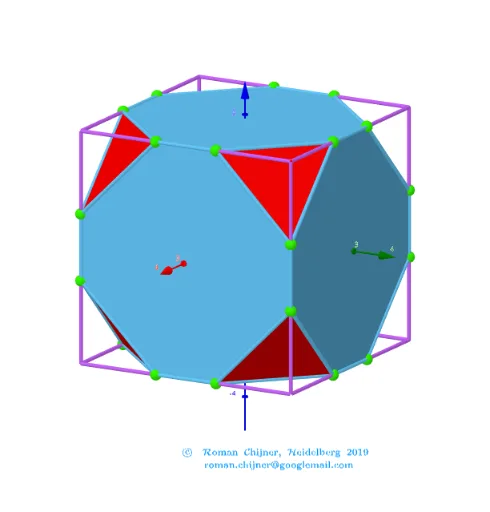
This example demonstrates the 3D geometric shape of a truncated cube and its properties. Core math concepts include solid geometry, polygons, reflection, trigonometric functions, complex numbers, fractions, and spheres. Construction highlights from GeoGebra commands: Join, Sphere, Length, Ray, Zip, UnicodeToLetter. Suitable for high school students and math enthusiasts studying 3D shapes and geometric constructions.
GeoGebra Commands & Parameters
Join(Zip[lP0(x(a)) + ((lP0(y(a)) - lP0(x(a))) * {t, 1 - t}), a, segN]) → lVVSphere(O, R1) → sp1Length(lVV(1)) → R2Sphere(O, R2) → sp2Ray(B, AA) → hZip(Segment[lP0(x(a)), lP0(y(a))], a, segN1) → seg1Zip(Segment[lP0(x(a)), lP0(y(a))], a, segN2) → seg2Zip(Polygon[a], a, v_poly03) → poly03Zip(Polygon[a], a, v_poly08) → poly08UnicodeToLetter(34) → u34
AI Drawing Prompt Reference
Draw a truncated cube, showcasing its 3D geometric shape and properties. Start by creating a line segment and use it to generate two spheres with different radii. Then, emit a ray from one endpoint of the segment and create two parallel line segments on the segment. Finally, construct the surface of the truncated cube using these line segments and spheres, including multiple polygonal faces to present the complete form of the truncated cube.
The prompt above was compiled from the original drawing commands and is for reference only.