
Trigonometric Ratios in a Circle by Eugene (2)
Loading the math board and drawing, please wait…
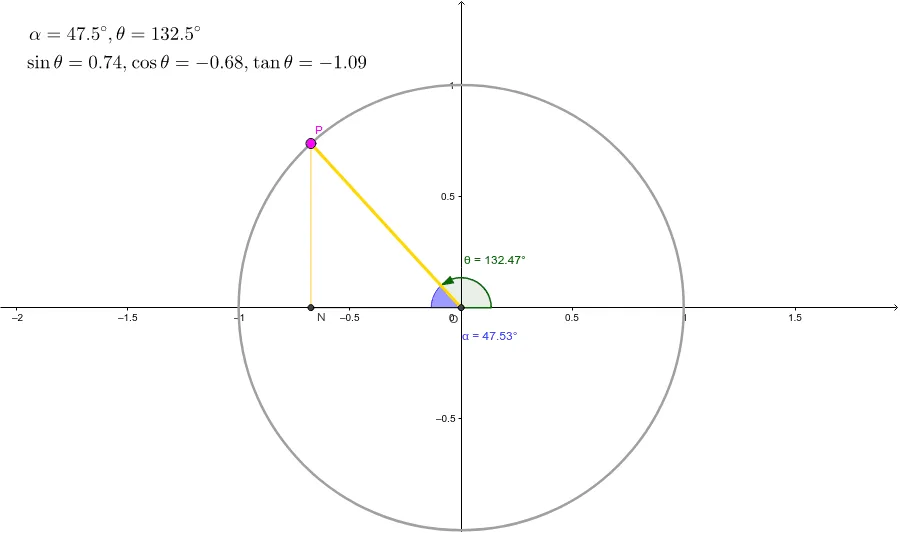
This example demonstrates how rotating point P around a circle affects the sign and value of trigonometric ratios. Key math concepts include trigonometry, circle, angles, and distances. It uses GeoGebra commands like Intersect, Point, Segment, Angle, OrthogonalLine, Distance, and Line. Suitable for high school mathematics teaching to visually understand the definition and properties of trigonometric functions on a unit circle.
GeoGebra Commands & Parameters
Intersect(xAxis, yAxis) → OPoint(c) → PSegment(O, P) → aIntersect(c, xAxis, 2) → AAngle(A, O, P) → θOrthogonalLine(P, xAxis) → dIntersect(d, xAxis) → DSegment(O, D) → eAngle(D, O, P) → αOrthogonalLine(P, xAxis) → gIntersect(g, e) → NSegment(P, N) → hDistance(O, P) → distanceOPDistance(N, P) → distanceNPDistance(O, N) → distanceONLine(P, e) → l
AI Drawing Prompt Reference
Draw coordinate axes and mark their intersection as the origin. Create a line segment from the origin to a point on the circle, which rotates around the circle. From the point on the circle, draw a perpendicular line to the x-axis, and connect the intersection point with the origin to form an angle that changes as the point rotates. Also, connect the point on the circle to the intersection point of the perpendicular line with the x-axis to form another line segment whose length changes with the rotation. Display the line segments from the origin to the point on the circle and from the point to the intersection point, showing the relationship between the segments and angles to illustrate the definition and properties of trigonometric functions on the unit circle.
The prompt above was compiled from the original drawing commands and is for reference only.