
Trigonometric Ratios by Michael Bailey
Loading the math board and drawing, please wait…
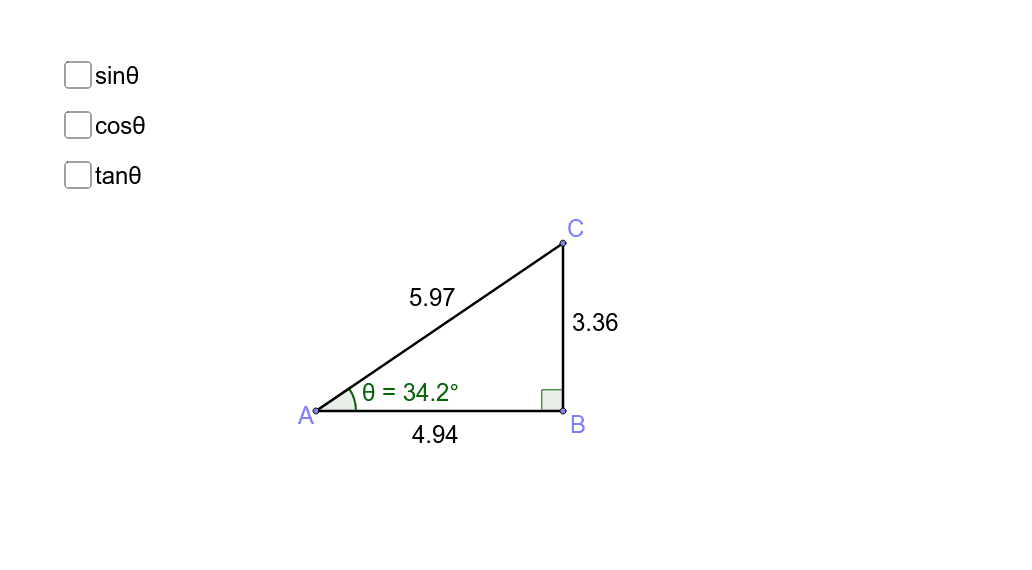
This example allows students to adjust the sides of a right triangle to observe how different trigonometric ratios change. Key mathematical concepts include sine, cosine, and tangent. Using GeoGebra commands such as Point, Segment, and OrthogonalLine, dynamic displays of trigonometric properties are shown. Suitable for middle school and above students to learn basic trigonometric concepts.
GeoGebra Commands & Parameters
Point(xAxis) → APoint(xAxis) → BSegment(A, B) → aOrthogonalLine(B, a) → bPoint(b) → CSegment(C, B) → cSegment(A, C) → dAngle(C, B, A) → αAngle(B, A, C) → θ
AI Drawing Prompt Reference
Draw a right triangle with point A on the x-axis and point B on the x-axis, connecting AB to form one of the legs of the right triangle. From point B, draw a line perpendicular to AB to form the other leg of the right triangle, and mark the intersection point as C. Connect AC to form the hypotenuse. Measure the angles at points B and A.
The prompt above was compiled from the original drawing commands and is for reference only.