
Trigonometric Functions on the Unit Circle by Robert Casagrande
Loading the math board and drawing, please wait…
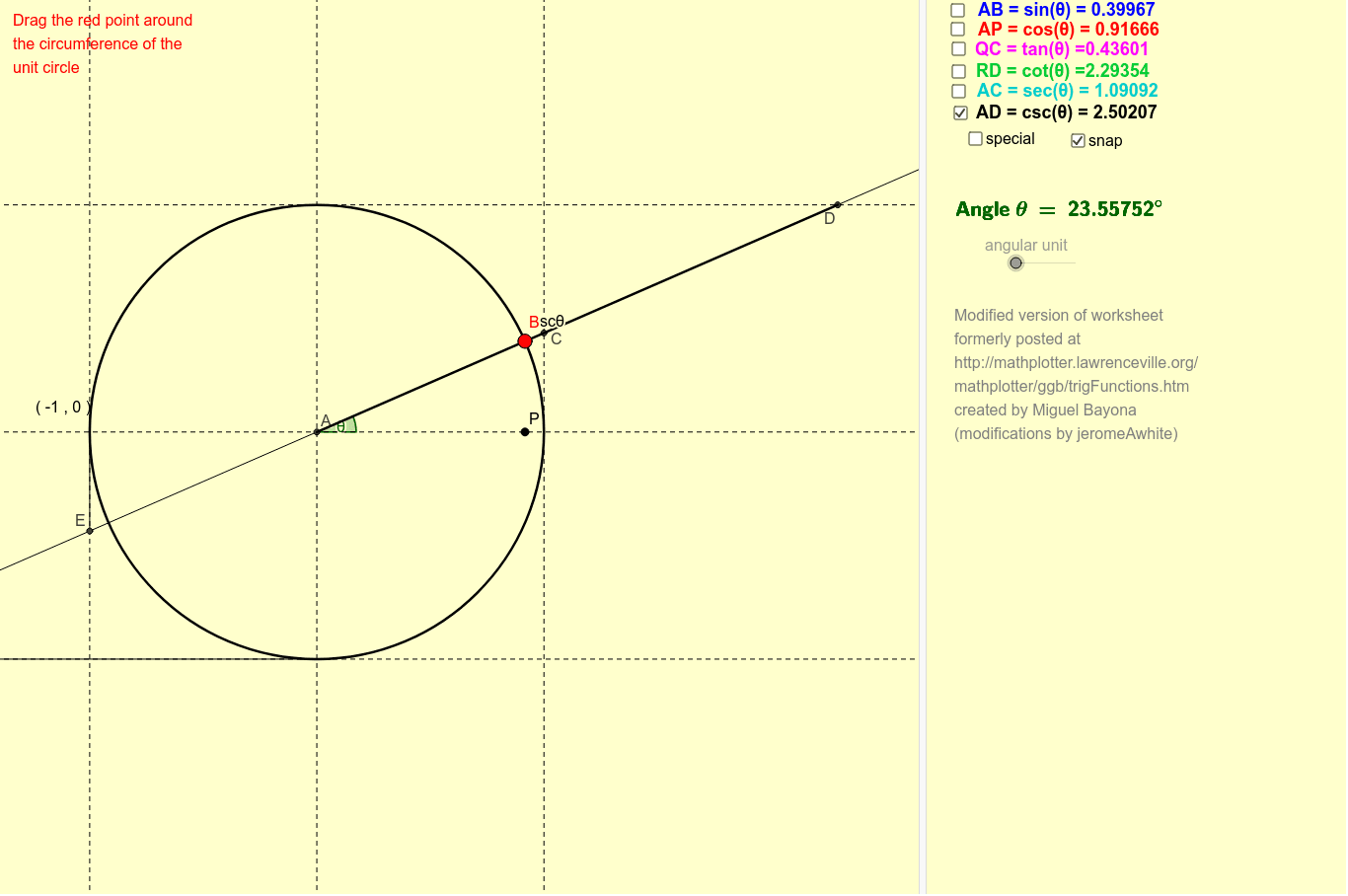
This GeoGebra example dynamically visualizes the geometric definitions of trigonometric functions (sine, cosine, tangent, cotangent, and secant) on the unit circle. The core mathematical concepts include the unit circle definition of trigonometric functions, the relationship between angle θ and coordinates (cosθ, sinθ), and the geometric interpretations of tangent and cotangent as projection lines. The construction utilizes key GeoGebra commands such as Circle, Point, Angle, Rotate, Intersect, Segment, and Line to build an interactive model where sliders or angle adjustments dynamically update the values of sinθ, cosθ, tanθ, cotθ, and secθ. Key objects like P, A, B, Q, and various test segments link algebraic expressions directly to geometric coordinates. This tool is highly suitable for high school mathematics, introductory college-level trigonometry, or any visual learner needing a geometric intuition for periodic functions and symmetries.
GeoGebra Commands & Parameters
Intersect(xAxis, yAxis) → ACircle(A, r) → cPoint(c) → BAngle(Q, A, B) → αIf(test > 180°, true, false) → test2If(snap, 2°, 0°) → toleranceIf(test2, 360° - test, test) → test3If(test3 ≤ tolerance, (15 * round(α / 15)), α) → θ'Line(B', A) → hIntersect(d, h) → CIntersect(a, h) → DIntersect(e, h) → EIntersect(b, h) → FSegment(B', P) → sinθSegment(P, A) → cosθSegment(C, Q) → tanθSegment(D, R) → cotθSegment(S, E) → mSegment(T, F) → nSegment(A, C) → secθAngle(Q, A, B') → θSegment(A, D) → cscθRotate(Q, 60°) → IDistance(I, A) → IAIf(IsInteger[θ / (15°)], FractionText[θ / (180°)], 0) → θnumIf(Defined[tanθ], Text[y(B') / x(B')], "Undefined") → textTanIf(Defined[cotθ], Text[x(B') / y(B')], "Undefined") → textCotIf(Defined[secθ], Text[r / x(B')], "Undefined") → textSecIf(Defined[cscθ], Text[r / y(B')], "Undefined") → textCscRotate(Q, 30°) → GRotate(Q, 45°) → HRotate(Q, 135°) → KRotate(Q, 120°) → JRotate(Q, 150°) → LRotate(Q, 225°) → NRotate(Q, 210°) → MRotate(Q, 240°) → ORotate(Q, 315°) → VRotate(Q, 300°) → URotate(Q, 330°) → W