
Trigonometric Circle Intersection Demo
Loading the math board and drawing, please wait…
In collections
Mapping Diagrams: From AB to C&DE, Resource
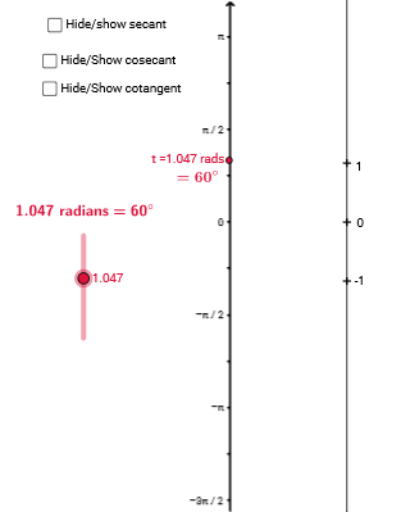
This example dynamically demonstrates the intersection points between trigonometric functions and a circle, visually integrating geometry with algebra. Core math concepts include trigonometric functions, circle equations, analytical geometry, and conditional probability. Construction highlights from the summary involve commands like Intersect, Circle, Segment, Angle, OrthogonalLine, CircleArc, Vector, Sequence, Line, and Point in GeoGebra. Suitable for high school and above learners to understand trigonometric graphs, geometric properties, and computational methods.
GeoGebra Commands & Parameters
Intersect(xAxis, yAxis) → ACircle(A, B) → cSegment(A, C) → aSegment(B, A) → bAngle(B, A, C) → αOrthogonalLine(C, yAxis) → dIntersect(d, yAxis) → DCircleArc(A, B, C) → eVector(C, D) → uVector(E, F) → vSegment(D, A) → hSegment(H, B) → iVector(t, C) → wSequence((-1.5, t), t, -87.96459430051421, 87.96459430051421, 0.2617993877991494) → tvalVector(E, J) → zVector(C, K) → jVector(A, L) → kSegment(B, L) → lVector(E, M) → mLine(L, B) → nCircleArc(A, C, B) → pAngle(C, A, B) → βSegment(A, K) → qVector(A, O) → u_1Vector(A, O) → m_1Point(s) → PSegment(P, O) → a_1Vector(E, Q) → v_1Vector(J, T) → w_1Vector(F, S) → z_1Vector(M, R) → d_1Vector(E, R) → f_1Vector(E, T) → g_1Vector(E, S) → h_1CircleArc(A, L, Z) → p_1Vector(L, Z) → l_1Vector(A, L) → k_1CircleArc(A, O, A_1) → q_1Vector(A, A_1) → b_1Line(A, C) → j_1CircleArc(A, L, B_1) → r_1Vector(A, B_1) → n_1