
Trigonometric Calculator by ctmathnut
Loading the math board and drawing, please wait…
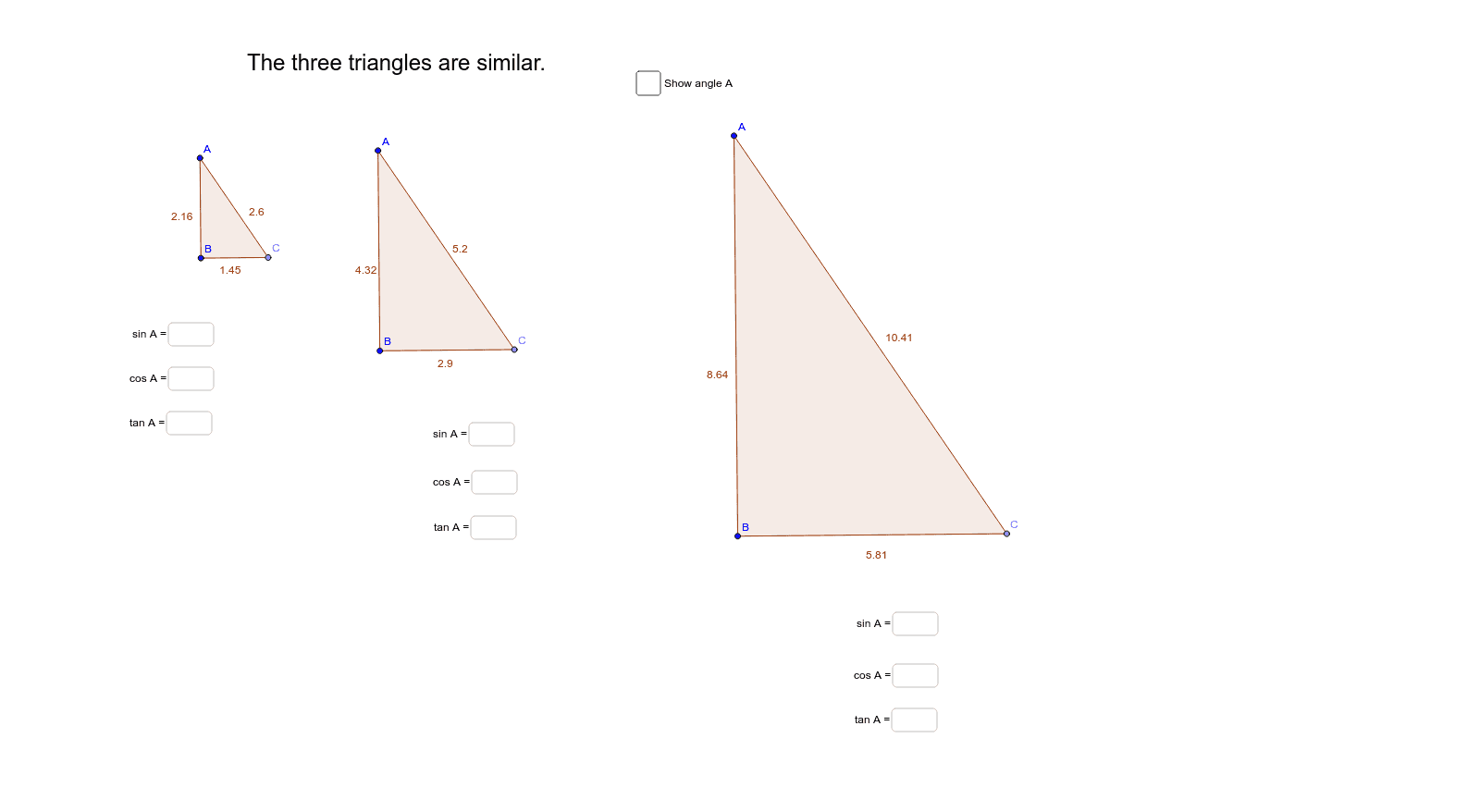
This example demonstrates how to compute sine, cosine, and tangent values based on the side lengths of similar triangles. It involves core math concepts like trigonometric functions, similar triangles, and side length relationships. The construction uses commands/objects such as Rotate, Polygon, Dilate, Angle, Point, Segment, and Textfield from GeoGebra. It is suitable for high school students to understand the application of trigonometric functions in similar triangles and practice geometric constructions.
GeoGebra Commands & Parameters
Rotate(C_1, 90*°, B) → C'_1Polygon(A, B, C_1) → poly1, c, a, bDilate(A, 2, D) → A'Dilate(B, 2, D) → B'Dilate(C_1, 2, D) → C'Polygon(A', B', C') → poly1', c', a', b'Dilate(A', 2, D) → A''Dilate(B', 2, D) → B''Dilate(C', 2, D) → C''Polygon(A'', B'', C'') → poly1'', c'', a'', b''Angle(C_1, B, C'_1) → εPoint(a) → CSegment(A, C) → dSegment(C, B) → eSegment(A, B) → fPolygon(A, C, B) → poly2, b_1, a_1, e_1Dilate(A, 2, D) → A'_1Dilate(C, 2, D) → C'_2Dilate(B, 2, D) → B'_1Polygon(A'_1, C'_2, B'_1) → poly2', b'_1, a'_1, c'_2Dilate(A'_1, 2, D) → EDilate(C'_2, 2, D) → FDilate(B'_1, 2, D) → GPolygon(E, F, G) → poly2'', g, e_2, f_1Angle(B, A, C) → αAngle(B'_1, A'_1, C'_2) → βAngle(G, E, F) → γTextfield(blank) → inputBox1Textfield(blank2) → inputBox2Textfield(blank3) → inputBox3Textfield(blank4) → inputBox4Textfield(blank5) → inputBox5Textfield(blank6) → inputBox6Textfield(blank7) → inputBox7Textfield(blank8) → inputBox8Textfield(blank9) → inputBox9
AI Drawing Prompt Reference
Draw a triangle ABC with points A, B, and C as vertices. Use rotation, dilation, and translation commands to create similar triangles A'B'C', A''B''C'', and EFG. Measure angles α, β, and γ to calculate the side length relationships. Add text input boxes to the diagram for entering and displaying trigonometric function values.
The prompt above was compiled from the original drawing commands and is for reference only.