
Trig Ratios Exploration by user2280
Loading the math board and drawing, please wait…
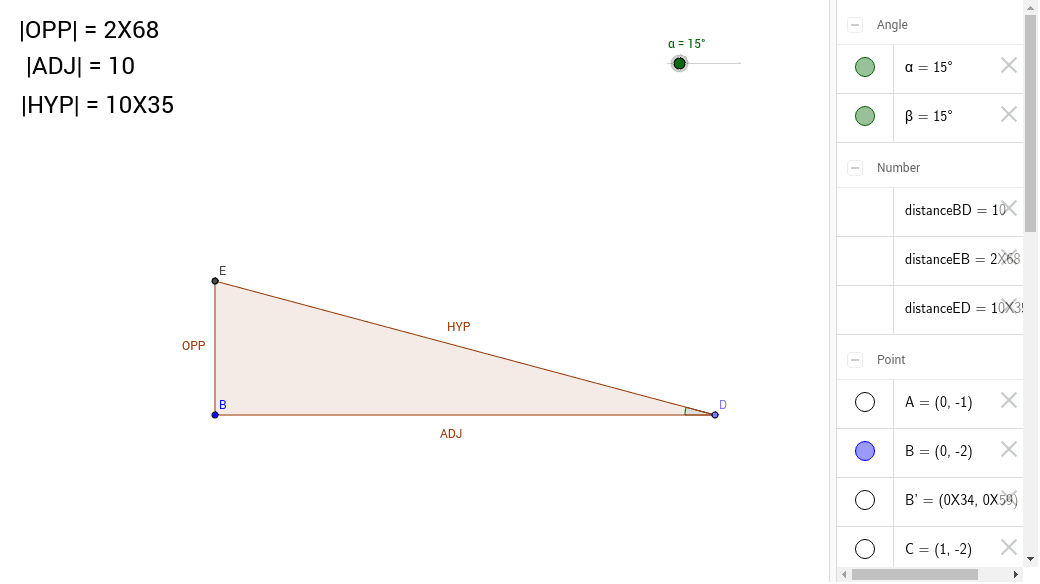
This example demonstrates the exploration of trigonometric ratios (sine, cosine, tangent) through constructing right-angled triangles. It involves core math concepts like trigonometric definitions, right triangle side-angle relationships, and coordinate geometry. Key GeoGebra commands used include Ray, Point, Rotate, Angle, Intersect, Polygon, and Distance to build the figure and calculate side lengths and angles. Suitable for high school students to understand the fundamental properties and practical applications of trigonometric functions.
GeoGebra Commands & Parameters
Ray(B, A) → aRay(B, C) → bPoint(b) → DRotate(B, -α, D) → B'Angle(B', D, B) → βRay(D, B') → cIntersect(a, c) → EPolygon(E, B, D) → poly1, d, e, b_1Distance(E, B) → distanceEBDistance(B, D) → distanceBDDistance(E, D) → distanceED
AI Drawing Prompt Reference
Draw a right triangle with two rays originating from the right angle vertex, rotate one ray to form another angle, connect the corresponding points to create a new triangle, and label the lengths of the sides and the measures of the angles to demonstrate the definitions of trigonometric functions and the relationships between sides and angles.
The prompt above was compiled from the original drawing commands and is for reference only.