
Trig Ratio Estimations in Right Triangle Context
Loading the math board and drawing, please wait…
In collections
Similarity & Right Triangle Trigonometry
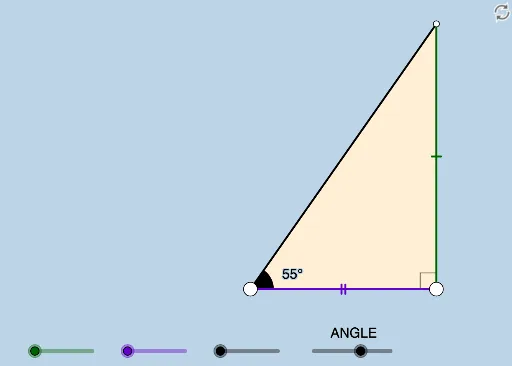
This example demonstrates how to estimate trigonometric ratios in a right triangle. Core math concepts involved include similar triangles, trigonometry, and geometric constructions. Using GeoGebra commands such as Segment, OrthogonalLine, Rotate, Angle, Ray, Circle, Intersect, Polygon, and Textfield, the calculation process of trigonometric ratios is visually represented. Suitable for high school mathematics education, helping students understand the application of trigonometric functions in geometry.
GeoGebra Commands & Parameters
Segment(A, B) → fOrthogonalLine(B, f) → gRotate(B, (a * π / 180), A) → B'Angle(B, A, B') → αRay(A, B') → hCircle(B, 2) → cIntersect(c, g, 2) → CRay(B, C) → iIntersect(h, i) → DSegment(B, D) → jSegment(A, D) → kPolygon(A, B, D) → poly1, d, a_1, bRotate(B, If[0 < e ≤ 1, (-((e * (π / 2 - α)))), α - π / 2], D) → B'_1Rotate(D, If[0 < e ≤ 1, (-((e * (π / 2 - α)))), α - π / 2], D) → D'Segment(B'_1, D') → j'Rotate(A, If[0 < l ≤ 1, (α * l), α], A) → A'Rotate(B, If[0 < l ≤ 1, (α * l), α], A) → B'_2Segment(A', B'_2) → f'Rotate(B, If[0 < m ≤ 1, (m * π / 2), π / 2], B) → B'_3Rotate(D, If[0 < m ≤ 1, (m * π / 2), π / 2], B) → D'_1Segment(B'_3, D'_1) → j'_1Textfield(a) → InputBox1Angle(D, B, A) → β