
Triangular Prism by Ho kit
Loading the math board and drawing, please wait…
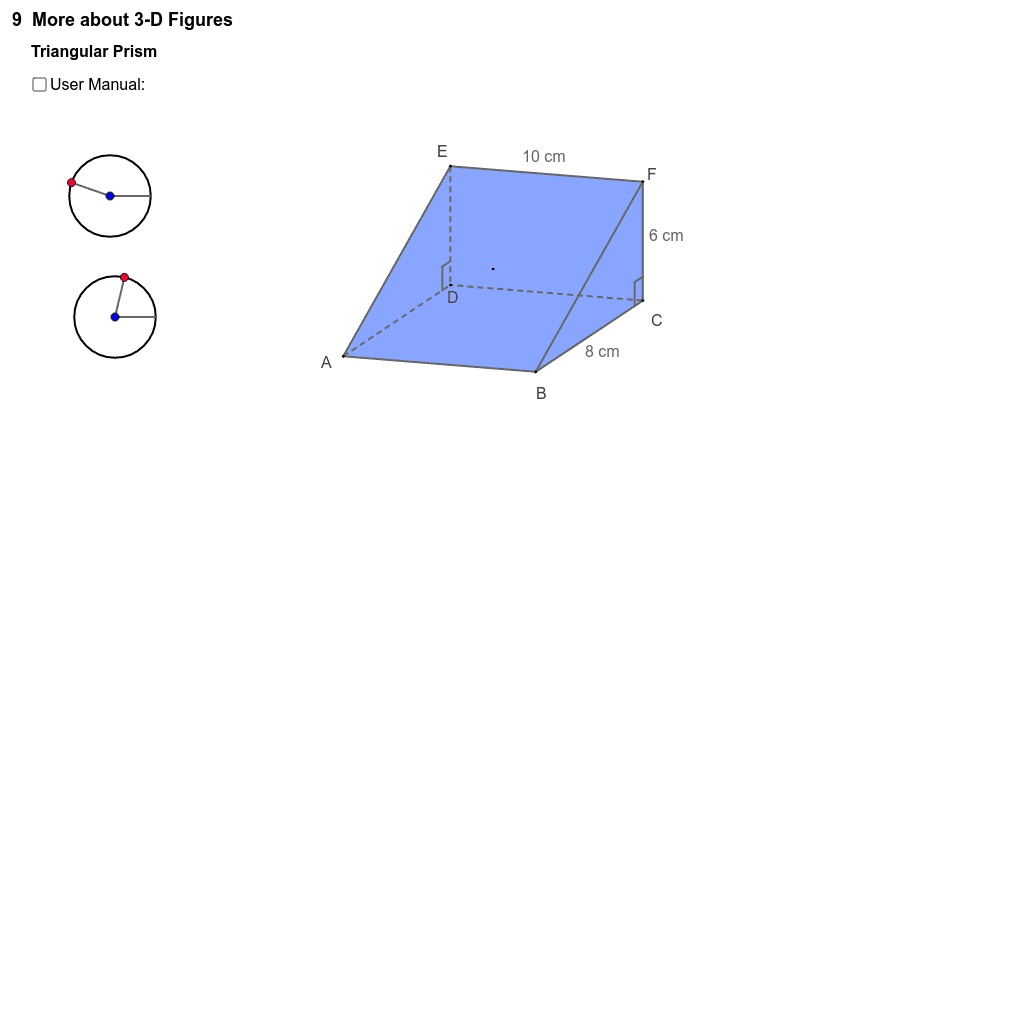
This example demonstrates the geometric construction and properties of a triangular prism. Key math concepts include prisms, coordinate geometry, and geometric transformations. Construction highlights the use of commands like Circle, Point, Angle, Segment, Vector, brokenline, Polygon, and transformation objects such as rotateLRc, rotateLR0, rotateUDc, rotateUD0. Suitable for high school solid geometry education, aiding in understanding polyhedron construction and spatial reasoning skills.
GeoGebra Commands & Parameters
Circle(rotateLRc, rotateLR0) → cPoint(c) → rotateLRAngle(rotateLR0, rotateLRc, rotateLR) → αSegment(rotateLRc, rotateLR0) → aSegment(rotateLRc, rotateLR) → bCircle(rotateUDc, rotateUD0) → dPoint(d) → rotateUDAngle(rotateUD0, rotateUDc, rotateUD) → βSegment(rotateUDc, rotateUD0) → eSegment(rotateUDc, rotateUD) → fVector(O, O + (0, sin(β))) → OzVector(O, O + (cos(α), (sin(α) * cos(β)))) → OxVector(O, O + ((-sin(α)), (cos(α) * cos(β)))) → Oybrokenline(A, B, C, E) → g, hbrokenline(C, F, E, B) → k, lbrokenline(E, D, C, A) → p, qbrokenline(A, D, E, B) → r, sbrokenline(A, E, F, D) → t, a_1brokenline(F, B, A, C) → b_1, c_1brokenline(C, D, A, F) → d_1, e_1brokenline(C, B, F, D) → i, jbrokenline(F, E, D, B) → m, nPolygon(E, A, B, F) → poly1, a5, a1, a2, a6Polygon(F, C, B) → poly2, a2_1, a6_1, a3Polygon(E, A, D) → poly3, a4, a5_1, a1_1Polygon(E, F, C, D) → poly4, a5_2, a6_2, a3_1, a4_1Polygon(D, C, B, A) → poly5, a4_2, a3_2, a2_2, a1_2Segment(A8, A7) → f_1Segment(A8, A9) → g_1Segment(A12, A11) → h_1Segment(A11, A10) → i_1
AI Drawing Prompt Reference
Draw a triangular prism with five faces: two triangular bases and three rectangular lateral faces. Establish a 3D coordinate system using three mutually perpendicular vectors. Define six vertices, with three forming one triangular base and the other three translated to form the opposite base. Connect corresponding vertices with edges to create lateral faces, and fill all faces with polygons. The result is a clear 3D solid showing the prism's spatial structure.
The prompt above was compiled from the original drawing commands and is for reference only.