
Triangle Tiling Patterns
Loading the math board and drawing, please wait…
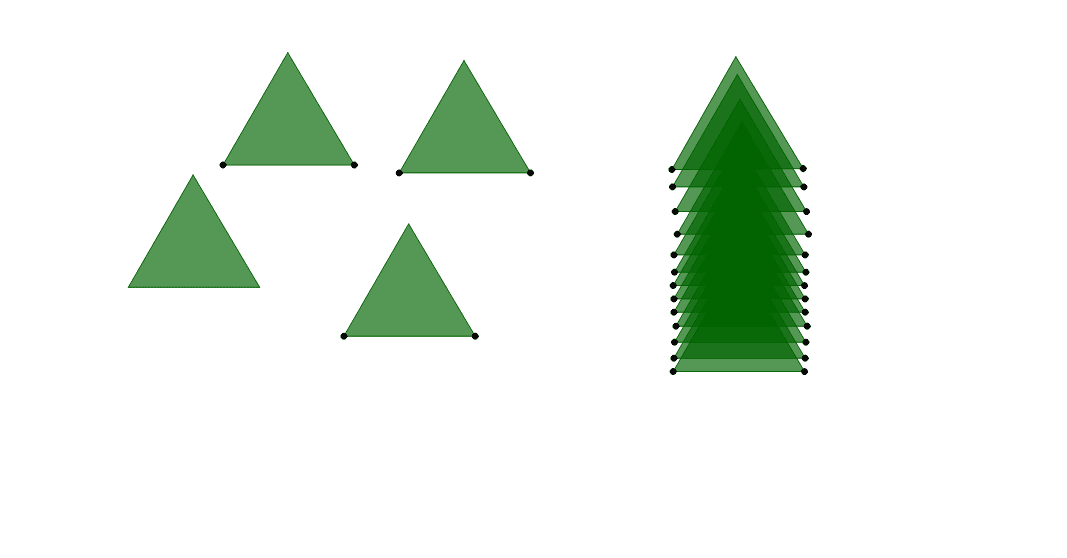
This example demonstrates exploring geometric patterns in tiling polygons by rotating equilateral triangles. It involves concepts like polygons, equilateral triangles, geometric transformations, and trigonometric functions. Constructed using GeoGebra commands such as Point, Polygon, Segment, Intersect, and Rotate. Suitable for middle school and above students for exploring geometric transformations and patterns.
GeoGebra Commands & Parameters
Point(Circle[D_1, 3.9400507610943287]) → E_1Polygon(D_1, E_1, F_1) → poly2_1, f_1, d_1, e_1Segment(D_1, E_1) → a_1Intersect(d_1, e_1) → C_1Point(Circle[A, f_1]) → BRotate(B + (d_1, 0), Angle[F_1 - E_1] + Angle[B - A] - Angle[E_1 - D_1], B) → CPolygon(A, B, C) → poly1, c, a, bPoint(Circle[D, f_1]) → ERotate(E + (d_1, 0), Angle[F_1 - E_1] + Angle[E - D] - Angle[E_1 - D_1], E) → FPolygon(D, E, F) → poly2, f, d, ePoint(Circle[G, f_1]) → HRotate(H + (d_1, 0), Angle[F_1 - E_1] + Angle[H - G] - Angle[E_1 - D_1], H) → IPolygon(G, H, I) → poly3, i, g, hPoint(Circle[J, f_1]) → KRotate(K + (d_1, 0), Angle[F_1 - E_1] + Angle[K - J] - Angle[E_1 - D_1], K) → LPolygon(J, K, L) → poly4, l, j, kPoint(Circle[M, f_1]) → NRotate(N + (d_1, 0), Angle[F_1 - E_1] + Angle[N - M] - Angle[E_1 - D_1], N) → OPolygon(M, N, O) → poly5, o, m, nPoint(Circle[P, f_1]) → QRotate(Q + (d_1, 0), Angle[F_1 - E_1] + Angle[Q - P] - Angle[E_1 - D_1], Q) → RPolygon(P, Q, R) → poly6, r, p, qPoint(Circle[S, f_1]) → TRotate(T + (d_1, 0), Angle[F_1 - E_1] + Angle[T - S] - Angle[E_1 - D_1], T) → UPolygon(S, T, U) → poly7, u, s, tPoint(Circle[V, f_1]) → WRotate(W + (d_1, 0), Angle[F_1 - E_1] + Angle[W - V] - Angle[E_1 - D_1], W) → ZPolygon(V, W, Z) → poly8, z, v, wPoint(Circle[A_1, f_1]) → B_1Rotate(B_1 + (d_1, 0), Angle[F_1 - E_1] + Angle[B_1 - A_1] - Angle[E_1 - D_1], B_1) → G_1Polygon(A_1, B_1, G_1) → poly9, g_1, a_2, b_1Point(Circle[H_1, f_1]) → I_1Rotate(I_1 + (d_1, 0), Angle[F_1 - E_1] + Angle[I_1 - H_1] - Angle[E_1 - D_1], I_1) → J_1Polygon(H_1, I_1, J_1) → poly10, j_1, h_1, i_1Point(Circle[K_1, f_1]) → L_1Rotate(L_1 + (d_1, 0), Angle[F_1 - E_1] + Angle[L_1 - K_1] - Angle[E_1 - D_1], L_1) → M_1Polygon(K_1, L_1, M_1) → poly11, m_1, k_1, l_1Point(Circle[N_1, f_1]) → O_1Rotate(O_1 + (d_1, 0), Angle[F_1 - E_1] + Angle[O_1 - N_1] - Angle[E_1 - D_1], O_1) → P_1Polygon(N_1, O_1, P_1) → poly12, p_1, n_1, o_1Point(Circle[Q_1, f_1]) → R_1Rotate(R_1 + (d_1, 0), Angle[F_1 - E_1] + Angle[R_1 - Q_1] - Angle[E_1 - D_1], R_1) → S_1Polygon(Q_1, R_1, S_1) → poly13, s_1, q_1, r_1Point(Circle[T_1, f_1]) → U_1Rotate(U_1 + (d_1, 0), Angle[F_1 - E_1] + Angle[U_1 - T_1] - Angle[E_1 - D_1], U_1) → V_1Polygon(T_1, U_1, V_1) → poly14, v_1, t_1, u_1Point(Circle[W_1, f_1]) → Z_1Rotate(Z_1 + (d_1, 0), Angle[F_1 - E_1] + Angle[Z_1 - W_1] - Angle[E_1 - D_1], Z_1) → A_2Polygon(W_1, Z_1, A_2) → poly15, a_3, w_1, z_1Point(Circle[B_2, f_1]) → C_2Rotate(C_2 + (d_1, 0), Angle[F_1 - E_1] + Angle[C_2 - B_2] - Angle[E_1 - D_1], C_2) → E_2Polygon(B_2, C_2, E_2) → poly16, e_2, b_2, c_2
AI Drawing Prompt Reference
Draw a geometric pattern composed of rotating equilateral triangles. Start by creating an equilateral triangle, then rotate and draw multiple identical triangles around its vertices in sequence to form a regular tiling pattern. Each new triangle is obtained by rotating the previous one by a certain angle, showcasing the beauty of rotational symmetry and geometric transformations.
The prompt above was compiled from the original drawing commands and is for reference only.