
Triangle Surface Construction and Parametric Visualization
Loading the math board and drawing, please wait…
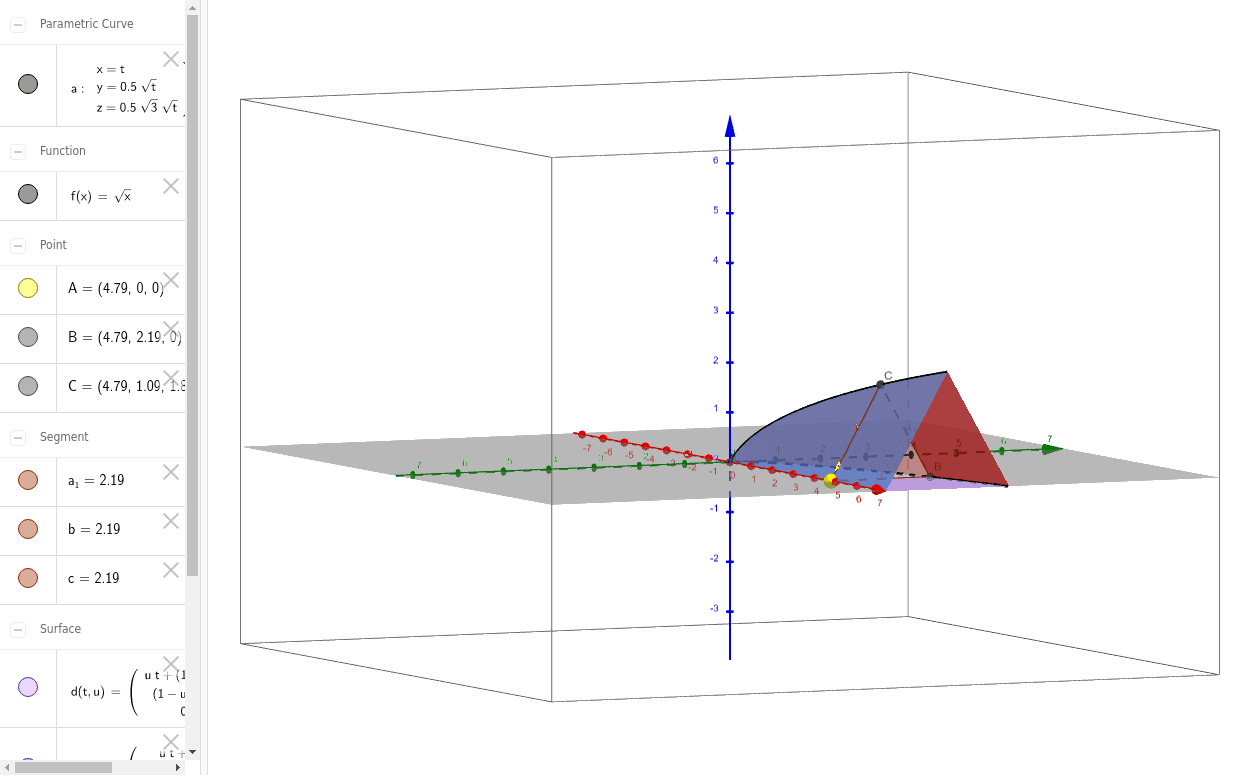
This example demonstrates how to construct and visualize 3D surfaces based on triangle regions in GeoGebra. Core mathematical concepts include surface parameterization, solid geometry, and vector operations. Construction details: using CurveCartesian command to create parametric curves, Point command to define points A, B, C, Polygon command to generate triangle poly1 as the base layer, and Surface command to generate spatial surface objects, involving vector calculations and surface equation construction. Suitable for high school and university students learning solid geometry and parametric surface concepts, as well as math teachers demonstrating surface construction methods.
GeoGebra Commands & Parameters
CurveCartesian(t, (0.5 * f(t)), ((0.5 * sqrt(3)) * f(t)), t, 0, 10) → aPoint(xAxis) → APolygon(A, B, C) → poly1, c, a_1, bSurface((u * t) + ((1 - u) * t), 0 + ((1 - u) * f(t)), 0, t, 0, 10, u, 0, 1) → dSurface((u * t) + ((1 - u) * t), 0 + (((1 - u) * 0.5) * f(t)), ((((1 - u) * 0.5) * sqrt(3)) * f(t)), t, 0, 10, u, 0, 1) → eSurface(t, (u * f(t)) + (((1 - u) * 0.5) * f(t)), 0 + ((((1 - u) * 0.5) * sqrt(3)) * f(t)), t, 0, 10, u, 0, 1) → g