
Triangle Multiple Transformation
Loading the math board and drawing, please wait…
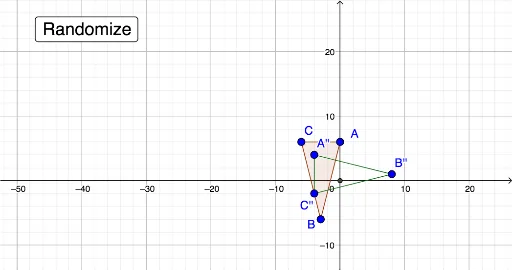
This example demonstrates the process and outcome of multiple transformations on a triangle in a plane. Core math concepts include geometric transformations (translation), random number application, and polygon construction. Key GeoGebra commands and objects used are Polygon, Translate, and Point. Suitable for high school mathematics teaching to understand the properties and combined effects of geometric transformations.
GeoGebra Commands & Parameters
Polygon(A, B, C) → poly1, c, a, bTranslate(A, Vector[(trans_x, trans_y)]) → A'Translate(B, Vector[(trans_x, trans_y)]) → B'Translate(C, Vector[(trans_x, trans_y)]) → C'Polygon(A', B', C') → poly1', c', a', b'Polygon(A'', B'', C'') → poly2, c'', a'', b''Point({0, 0}) → O
AI Drawing Prompt Reference
Draw a triangle in the coordinate plane. Then translate each of its three vertices by the same fixed vector, and connect the new vertices to form a second triangle. Repeat this translation on the second triangle to create a third triangle. Finally, mark a point at the origin. The three triangles are congruent and aligned along the same direction, showing two successive translations.
The prompt above was compiled from the original drawing commands and is for reference only.