
Triangle - Ellipse of Inertia
Loading the math board and drawing, please wait…
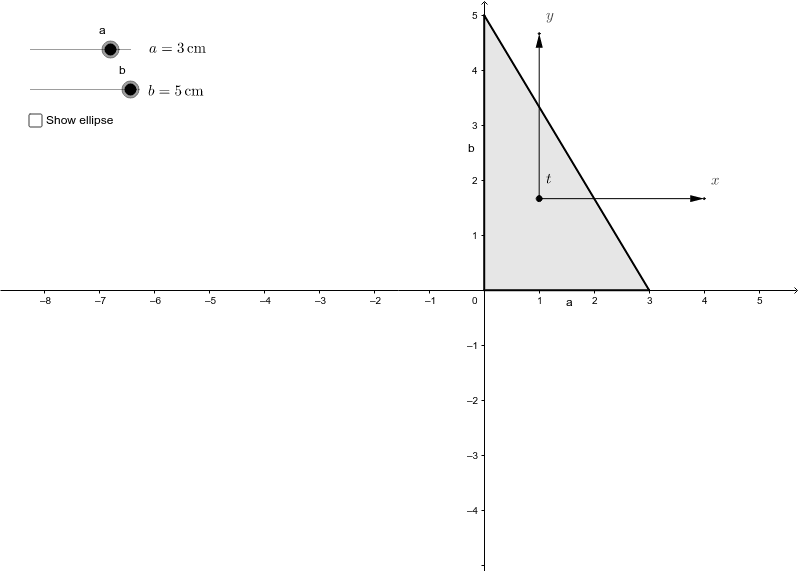
This example demonstrates the relationship between a triangle and its ellipse of inertia, which is a geometric representation of rotational inertia. Key math concepts include ellipse, geometric mean, statistical characteristics, parabola, scatter plot, and cylinder. Construction involves commands like Polygon, Point, Vector, Rotate, and objects such as vectors, rotations, and inertia parameters. Suitable for high school students and math enthusiasts exploring geometry and physics intersections.
GeoGebra Commands & Parameters
Polygon(O, BA, BB) → trojuhelnik, segA, segC, segBPoint({x_t, y_t}) → tVector(t, BodX) → osaxVector(t, BodY) → osayVector(t, BodXc) → osaxcVector(t, BodYc) → osaycRotate(ElipsaPOM, α, t) → ElipsaSetrvacnosti
AI Drawing Prompt Reference
Draw a triangle and its ellipse of inertia. First, construct the triangle, then determine a point and draw two vectors from it pointing to the triangle's vertices. Finally, create two rotated ellipses based on these vectors to illustrate the triangle's inertia ellipse properties.
The prompt above was compiled from the original drawing commands and is for reference only.