
Triangle Constructions
Loading the math board and drawing, please wait…
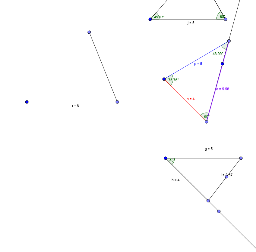
This example demonstrates the process of triangle construction using GeoGebra. It involves core mathematical concepts such as geometric construction, angle measurement, and line segment connection. Key GeoGebra commands and objects used in the construction include Point, Segment, Rotate, Angle, and Ray, as outlined in the construction summary. It is suitable for middle school students and above to learn geometric construction methods and for mathematical teaching demonstrations.
GeoGebra Commands & Parameters
Point(Circle[A, 5]) → CSegment(A, C) → gRotate(C, (-(45°)), A) → C'Angle(C', A, C) → αRay(A, C') → fPoint(Circle[A, 4]) → BSegment(A, B) → hSegment(C, B) → iPoint(i) → DPoint(Circle[E, 5]) → FSegment(E, F) → jRotate(E, (-(60°)), F) → E'Angle(E', F, E) → βPoint(Circle[F, 4]) → GSegment(F, G) → kSegment(E, G) → lRay(F, E') → mPoint(Circle[H, 4]) → ISegment(H, I) → nPoint(Circle[H, 5]) → JSegment(H, J) → pRotate(H, (-(60°)), I) → H'_1Angle(H'_1, I, H) → δAngle(F, E, G) → εAngle(E, G, F) → ζPoint(Circle[K, 21]) → LPoint(Circle[K, 6]) → MSegment(K, M) → rPoint(Circle[M, 5]) → NSegment(M, N) → sRay(I, H'_1) → tSegment(I, J) → aAngle(I, H, J) → γAngle(H, J, I) → η