
Tree Diagram Paths & Relative Frequencies: Drinks and Weather Scenarios
Loading the math board and drawing, please wait…
In collections
Arbeiten mit Baumdiagrammen
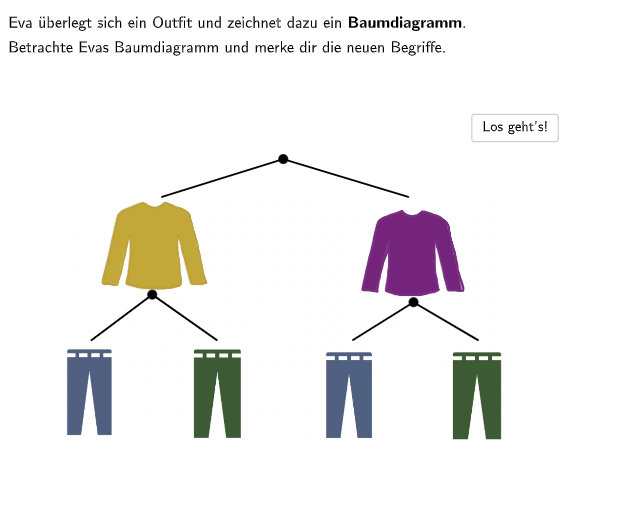
This GeoGebra example uses a tree diagram (path choices) to help students verify whether given statements or selected paths correctly match relative frequencies in real-life scenarios, and to identify mistakes. The key math concepts are relative frequency in probability & statistics (branches summing consistently), multi-step decisions modeled by a branching structure, reading path probabilities from a tree, and checking multiple-choice options or correcting incorrect representations. Construction and interaction highlights: Segment is used to draw the tree/branch connections; Textfield displays the prompt and answer/percentage text; SelectedIndex manages the current selected option for multiple-choice questions; Intersect supports placing/connecting endpoints when paths branch. Objects such as PDiagrammL, PDiagrammR, and baumdiagramm structure the diagram layout. Suitable for grades 5–6 and introductory probability-statistics lessons, especially for interactive quizzes and guided practice on interpreting and validating tree diagrams.
GeoGebra Commands & Parameters
Segment(A, B) → fSegment(A_{1}, B_{1}) → f_{1}Segment(C_{1}, D_{1}) → g_{1}Segment(C_{3}, D_{3}) → g_{3}Segment(C_{4}, D_{4}) → g_{2}Segment(C_{2}, D_{2}) → g_{4}Textfield(input1) → InputBox1SelectedIndex(dropdown) → indexSelectedIndex(dropdown1) → index1Intersect(f, f_{1}) → GIntersect(g_{1}, g_{3}) → HIntersect(g_{2}, g_{4}) → ISegment(A, B) → gTextfield(input2) → InputBox2Textfield(input3) → InputBox3Intersect(f, f_{1}) → HintGSegment(C_{1}, D_{1}) → h
AI Drawing Prompt Reference
Draw a tree diagram showing paths and relative frequencies. Include branches, connecting lines, and text boxes to display prompts and answers. Ensure branches are correctly connected and text boxes show relevant information.
The prompt above was compiled from the original drawing commands and is for reference only.