
Trapezoid - Interactive Exploration
Loading the math board and drawing, please wait…
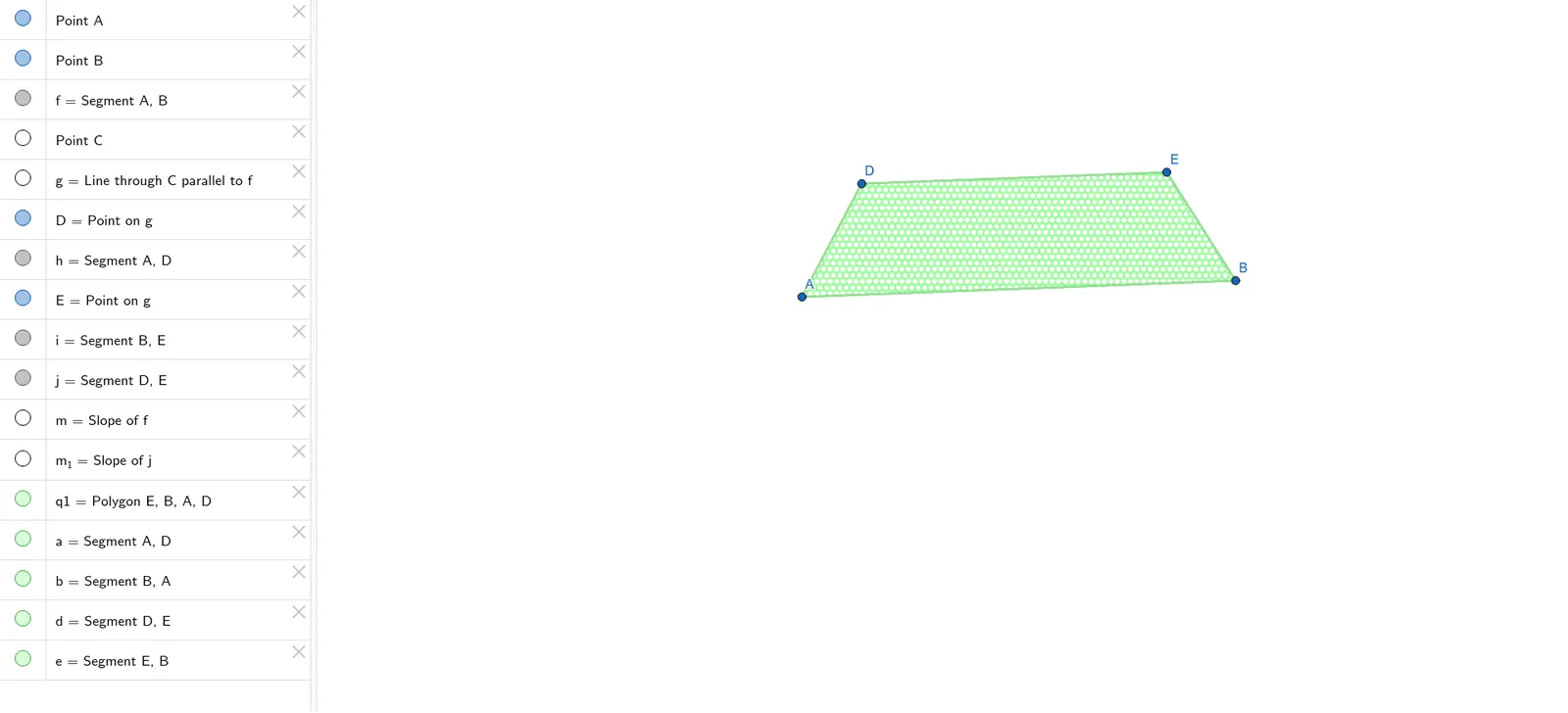
① This interactive GeoGebra example dynamically demonstrates the properties of a trapezoid, allowing users to drag vertices and observe how the shape and its measurements change in real time. ② Core mathematical concepts include the definition of a trapezoid (one pair of parallel sides), polygon angle sums, similarity transformations, and an optional extension to conditional probability (as tagged). ③ Construction details: The figure is built using commands such as Segment, Line, Point, Slope, and Polygon, with objects including points A, B, C, D, E, segments f, g, h, and polygon q1. The Slope tool is used to verify parallelism, and interactive sliders or draggable points enable dynamic manipulation. ④ Suitable for middle school to high school students learning plane geometry, as well as teachers for classroom demonstrations, this example helps reinforce understanding of trapezoid properties, similarity, and dynamic geometric reasoning.
GeoGebra Commands & Parameters
Segment(A, B) → fLine(C, f) → gPoint(g) → DSegment(A, D) → hPoint(g) → ESegment(B, E) → iSegment(D, E) → jSlope(f) → mSlope(j) → m_1Polygon(E, B, A, D) → q1, e, b, a, d