
Trapezoid Construction Demo
Loading the math board and drawing, please wait…
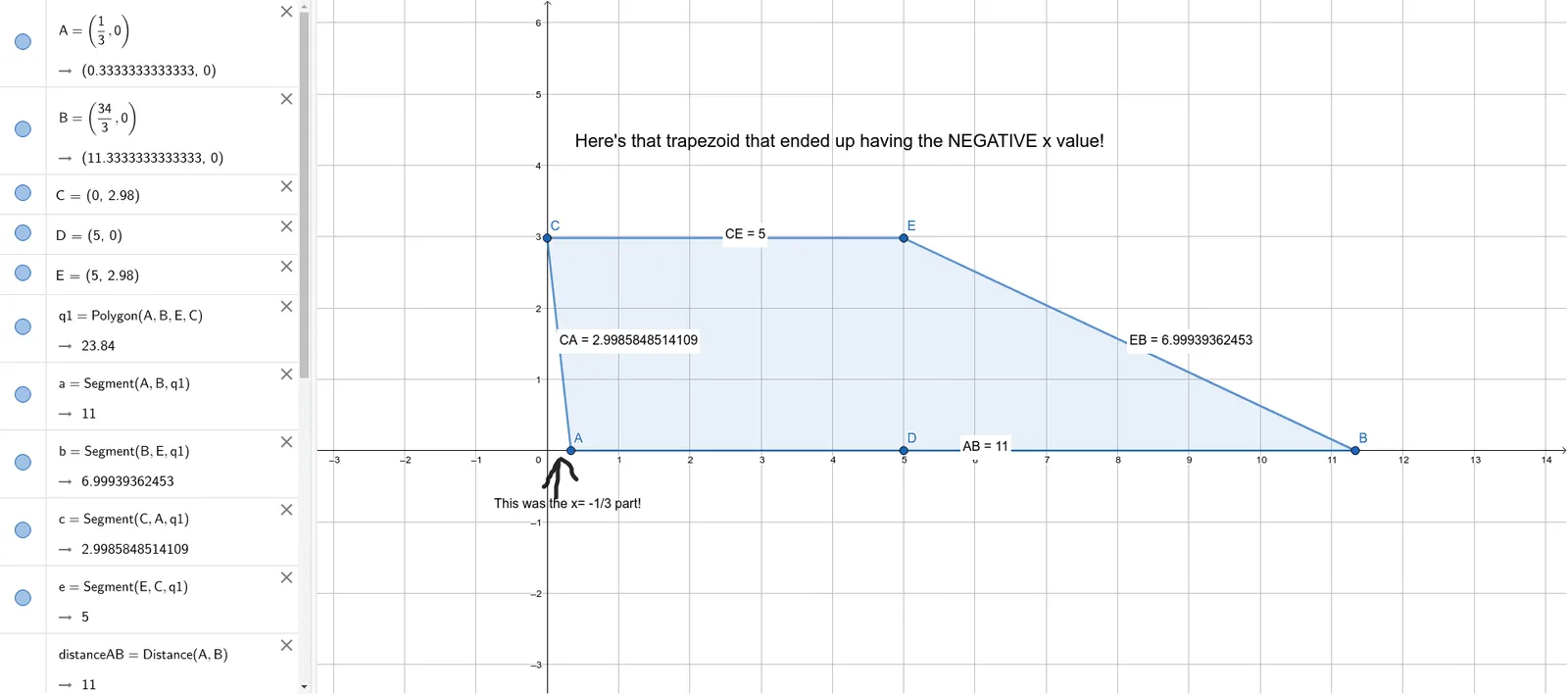
This example demonstrates how to construct a trapezoid and related geometric elements using GeoGebra. It involves core math concepts like polygon construction, distance calculation, cosine function application, plane figure drawing, equilateral triangle generation, and parabola function graphing. Key GeoGebra commands used include Polygon and Distance, along with multiple points, segments, texts, and sliders. Suitable for high school mathematics teaching to showcase geometric construction techniques and the integration of functions with geometry.
GeoGebra Commands & Parameters
Polygon(A, B, E, C) → q1, a, b, e, cDistance(A, B) → distanceABDistance(E, B) → distanceEBDistance(C, E) → distanceCEDistance(C, A) → distanceCA
AI Drawing Prompt Reference
Draw a trapezoid and display its related geometric elements. First, construct the four sides of the trapezoid, then label the lengths of each side. Next, use the cosine function to calculate key angles and draw an equilateral triangle. Finally, include a parabola function graph to demonstrate the integration of functions with geometry.
The prompt above was compiled from the original drawing commands and is for reference only.