
Trapezoid Area Formula: Dynamic Derivation and Visualization
Loading the math board and drawing, please wait…
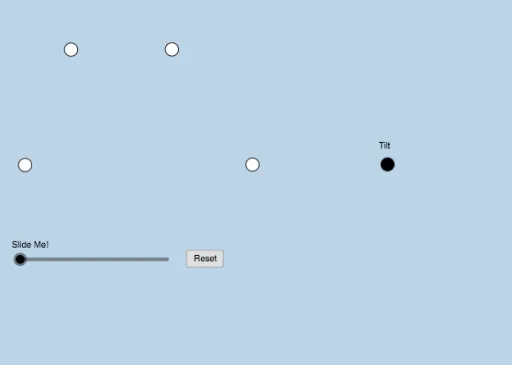
This GeoGebra example provides an interactive visualization of the trapezoid area formula, demonstrating how the area can be derived by decomposing, rotating, or complementing the trapezoid into a known shape such as a parallelogram or rectangle. The core mathematical concepts include trapezoid geometry, area calculation, and the formula S=(a+b)h/2. The construction uses a rich set of GeoGebra commands: Line, Ray, Point, Segment, Slope, PointIn, Midpoint, Dilate, Rotate, Polygon, OrthogonalLine, Intersect, Min, Circle, and Angle. Objects include multiple points, lines, polygons, and transformed copies (e.g., A', C', G', etc.) to support the dynamic proof. This resource is suitable for middle school to high school students learning geometry, as well as for teachers demonstrating the derivation in class. It also touches on related topics like linear regression, statistics, percentages, and random experiments, making it versatile for exploratory learning.
GeoGebra Commands & Parameters
Line(A, B) → fRay(A, B) → gPoint(g) → CRay(A, C) → hSegment(A, C) → iSlope(i) → mPointIn(a) → DLine(D, i) → jPoint(j) → ERay(D, E) → kPoint(k) → FSegment(D, F) → lSegment(A, D) → nSegment(F, C) → pMidpoint(p) → GDilate(A, If[0 < c ≤ 1, 1 - c, 0], C) → A'Segment(A, A') → qDilate(C, If[1 < c ≤ 2, 2 - c, 0], G) → C'Segment(C, C') → rDilate(G, If[2 < c ≤ 3, 3 - c, 0], F) → G'Segment(G, G') → sRotate(C, If[3 < c ≤ 4, ((c - 3) * π), π], G) → C'_1Rotate(C', If[3 < c ≤ 4, ((c - 3) * π), π], G) → C''Segment(C'_1, C'') → r'Dilate(F, If[4 < c ≤ 5, 5 - c, 0], D) → F'Segment(F, F') → tDilate(D, If[5 < c ≤ 6, 6 - c, 0], A) → D'Segment(D, D') → dDilate(D, If[6.5 < c ≤ 7.5, 7.5 - c, 0], G) → D'_1Polygon(A, C, G, D) → poly1, a_1, c_1, g_1, d_1Polygon(G, F, D) → poly2, d_2, g_2, f_1Segment(D, D'_1) → eRotate(G, If[8 < c ≤ 9, ((-(c - 8)) * π), π], G) → G'_1Rotate(F, If[8 < c ≤ 9, ((-(c - 8)) * π), π], G) → F'_1Rotate(D, If[8 < c ≤ 9, ((-(c - 8)) * π), π], G) → D'_2Polygon(G'_1, F'_1, D'_2) → poly2', d'_2, g'_1, f'_1Segment(F'_1, D'_2) → h_1Rotate(D, If[8 < c ≤ 9, ((-(c - 8)) * π), π], G) → D'_3Rotate(D'_1, If[8 < c ≤ 9, ((-(c - 8)) * π), π], G) → HSegment(D'_3, H) → e'Rotate(C'_1, If[8 < c ≤ 9, ((-(c - 8)) * π), π], G) → IRotate(C'', If[8 < c ≤ 9, ((-(c - 8)) * π), π], G) → C'''Segment(I, C''') → r''OrthogonalLine(D, q) → i_1Intersect(f, q) → JDilate(D, If[6 < c ≤ 7, 7 - c, 0], J) → D'_4Segment(D, D'_4) → j_1Min(t, q) → oCircle(J, (0.15 * o)) → e_1Intersect(e_1, i_1) → K, LIntersect(e_1, f) → M, NAngle(D, J, A) → αAngle(C, A, D) → βIntersect(i_1, f) → ODilate(D, If[6 < c ≤ 7, 7 - c, 0], O) → D'_5Segment(D, D'_5) → k_1Angle(A, O, D) → γPoint(f) → PPoint(f) → QCircle(C, t) → p_1Intersect(p_1, f, 2) → RRay(R, Q) → m_1Angle(F, C, A) → δ
AI Drawing Prompt Reference
Draw a trapezoid ABCD with points A, B, C, and D as vertices. First, draw lines AB and AC. Then, take point E on AC and connect DE. Next, dilate DE with D as the center and a scaling factor controlled by slider c to get point D', and connect AD'. Then, dilate D' with C as the center and a scaling factor controlled by slider c to get point C', and connect DC'. Continue by dilating C' with G as the center and a scaling factor controlled by slider c to get point G', and connect CG'. Next, dilate G' with F as the center and a scaling factor controlled by slider c to get point F', and connect GF'. Finally, dilate F' with D as the center and a scaling factor controlled by slider c to get point D'', and connect DF''. Throughout the process, use slider c to control the scaling factor, dynamically showing the derivation of the trapezoid area formula.
The prompt above was compiled from the original drawing commands and is for reference only.