
Trapezoid Area Calculation by Toby Jacobson
Loading the math board and drawing, please wait…
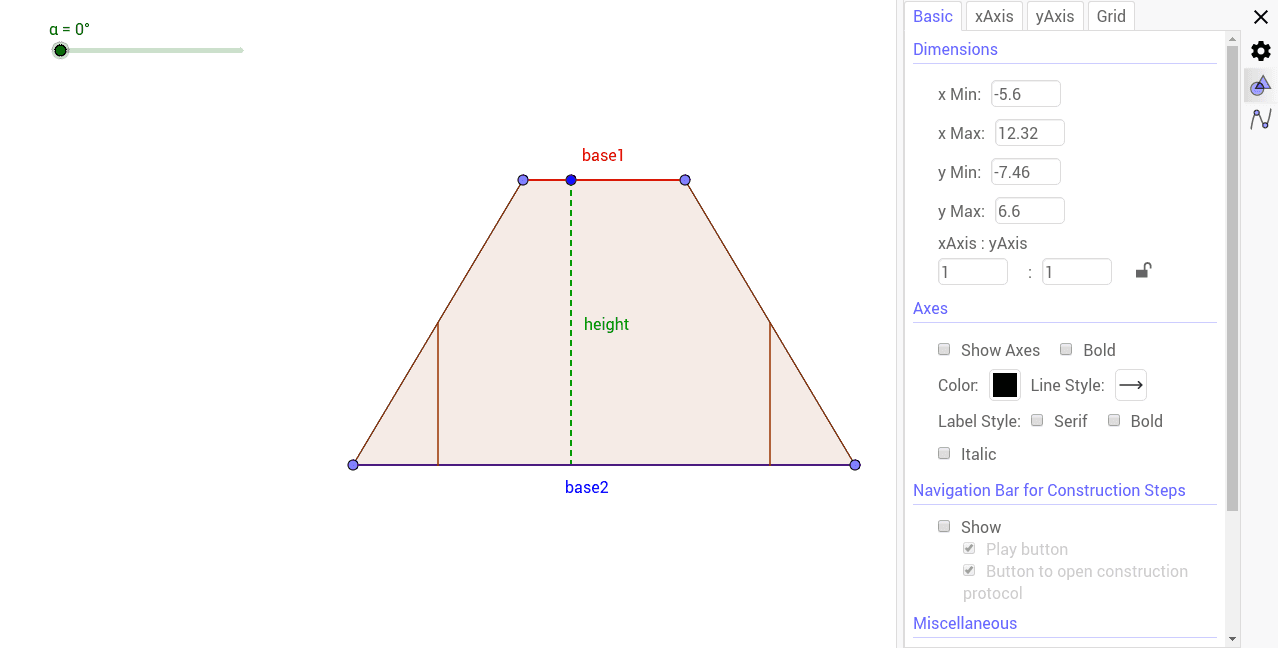
This example demonstrates how to calculate the area of a trapezoid by constructing isosceles triangles and auxiliary line segments. Key math concepts include trapezoids, isosceles triangles, geometric constructions, and logarithmic functions. It utilizes commands like Line, Point, Segment, OrthogonalLine, Intersect, Midpoint, Polygon, Rotate in GeoGebra. Suitable for high school mathematics teaching or for enthusiasts of geometric constructions.
GeoGebra Commands & Parameters
Line(A, B) → fLine(C, f) → gPoint(f) → DPoint(f) → EPoint(g) → FPoint(g) → GSegment(D, F) → hSegment(E, G) → iOrthogonalLine(C, g) → jIntersect(f, j) → HSegment(C, H) → heightSegment(F, G) → base1Segment(D, E) → base2Midpoint(h) → IMidpoint(i) → JOrthogonalLine(I, base2) → kOrthogonalLine(J, base2) → nIntersect(k, base2) → KIntersect(n, base2) → LPolygon(I, D, K) → poly1, k_1, i_1, dPolygon(J, L, E) → poly2, e, j_1, l_1Polygon(F, I, K, L, J, G) → poly3, f_1, i_2, k_2, l_2, j_2, g_1Rotate(I, (-α), I) → I'Rotate(D, (-α), I) → D'Rotate(K, (-α), I) → K'Polygon(I', D', K') → poly1', k', i', d'Rotate(J, α, J) → J'Rotate(L, α, J) → L'Rotate(E, α, J) → E'Polygon(J', L', E') → poly2', e', j', l'