
Trapezoid and Integral Geometry Demo
Loading the math board and drawing, please wait…
In collections
Symmetry, Transformation and Tessellation
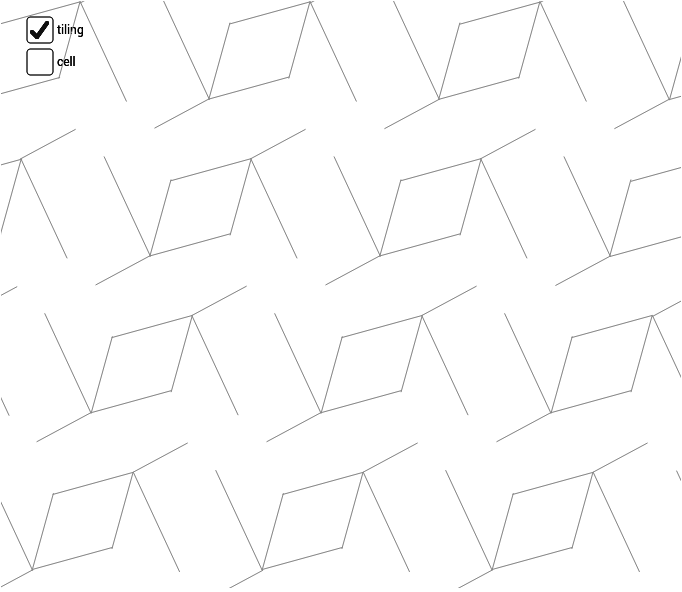
This example dynamically demonstrates the geometric relationship between trapezoids and integrals, visually showing the process of integration as an area accumulation. Core math concepts include ratios, trapezoid area formula, indefinite integral, polygon construction, and linear equations. Construction highlights involve GeoGebra commands/objects like Point, Midpoint, Vector, Segment, Mirror, and Sequence. Suitable for high school mathematics teaching to understand the geometric meaning of integrals and geometric construction techniques.
GeoGebra Commands & Parameters
Point(xAxis) → BMidpoint(A, B) → EMidpoint(B, D) → FMidpoint(D, C) → GMidpoint(C, A) → HMidpoint(C, B) → IVector(A, B) → uVector(A, C) → vVector(C, D) → wVector(B, D) → aSegment(H, F) → bSegment(E, G) → cSegment(J, K) → eSegment(K, L) → fSegment(K, M) → gSegment(K, N) → hSegment(C, B) → jMirror(cell1, I) → cell2Sequence(Translate[Sequence[Translate[tile, Vector[(n * u)]], n, -3, 3], Vector[(m * v)]], m, -3, 3) → tiling
AI Drawing Prompt Reference
Draw a trapezoid and visualize the geometric relationship between it and integrals, showing the integration process as area accumulation. Include key elements like the trapezoid's vertices, midpoints, perpendicular bisectors of the sides, vectors, and linear equations. Construct the trapezoid first, then find midpoints of all sides, draw perpendicular bisectors, and finally use vector translation to generate multiple trapezoids to illustrate the accumulation of area.
The prompt above was compiled from the original drawing commands and is for reference only.