
Trapezium Properties Investigation by Wayne
Loading the math board and drawing, please wait…
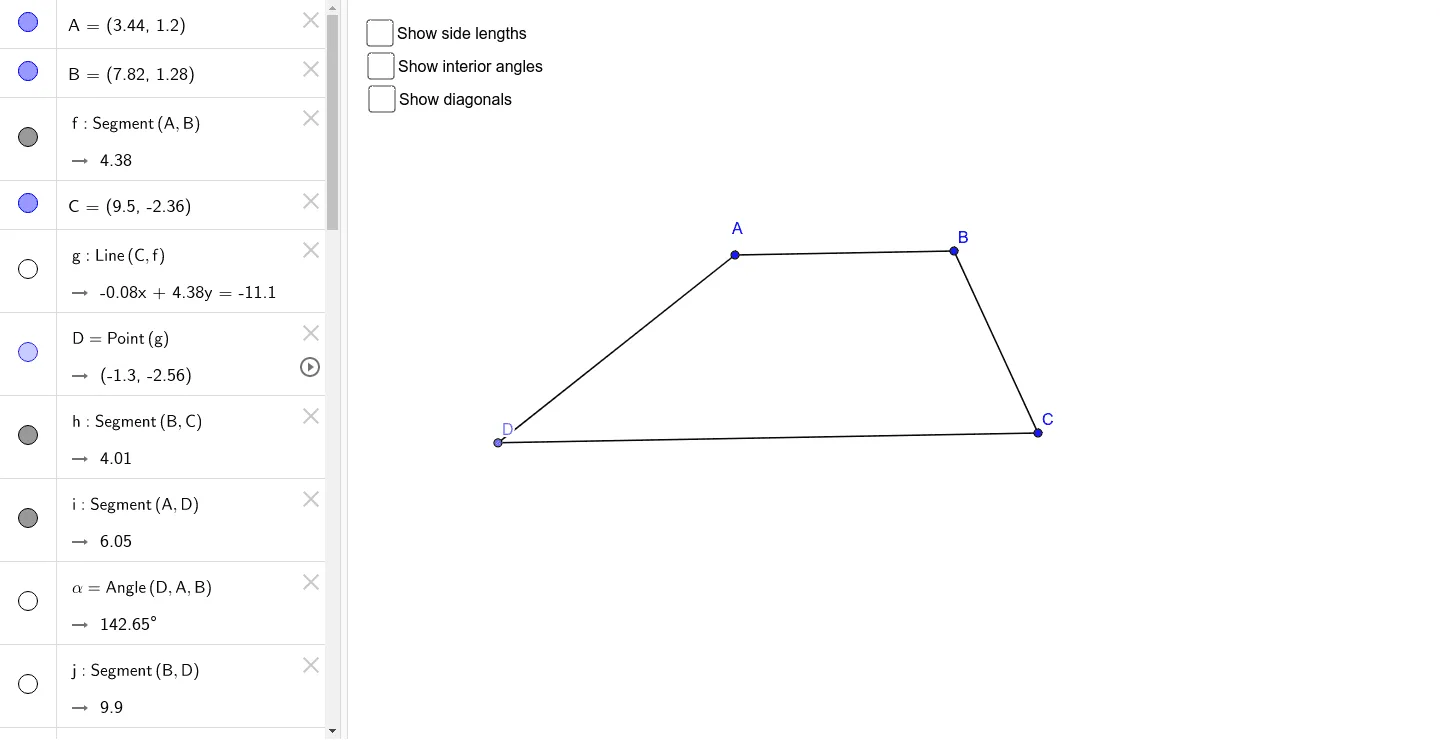
This example demonstrates the properties of a trapezium, including side lengths, angle relationships, and diagonal characteristics. It involves core mathematical concepts such as polygons, angles, coordinate geometry, and calculus. The construction uses GeoGebra commands like Segment, Line, Point, Angle, and Distance to build the trapezium and auxiliary elements. Suitable for high school mathematics teaching to explore geometric properties and related mathematical applications.
GeoGebra Commands & Parameters
Segment(A, B) → fLine(C, f) → gPoint(g) → DSegment(B, C) → hSegment(A, D) → iAngle(D, A, B) → αSegment(B, D) → jSegment(A, C) → kSegment(D, C) → lAngle(A, B, C) → βAngle(B, C, D) → γAngle(C, D, A) → δAngle(k, j) → εDistance(A, C) → distanceACDistance(B, D) → distanceBDDistance(A, B) → distanceABDistance(B, C) → distanceBCDistance(C, D) → distanceCDDistance(D, A) → distanceDA
AI Drawing Prompt Reference
Draw a trapezium, labeling its side lengths, angle relationships, and the properties of its diagonals. Start by drawing the two parallel sides and the non-parallel sides. Then, draw a perpendicular from a point on one parallel side to the other parallel side, marking the foot of the perpendicular. Measure and label the lengths of all sides and the sizes of all angles, particularly the relationships between adjacent and alternate interior angles. Finally, draw the diagonals, labeling their lengths and the angles at their intersection point.
The prompt above was compiled from the original drawing commands and is for reference only.