
Kite Properties Investigation
Loading the math board and drawing, please wait…
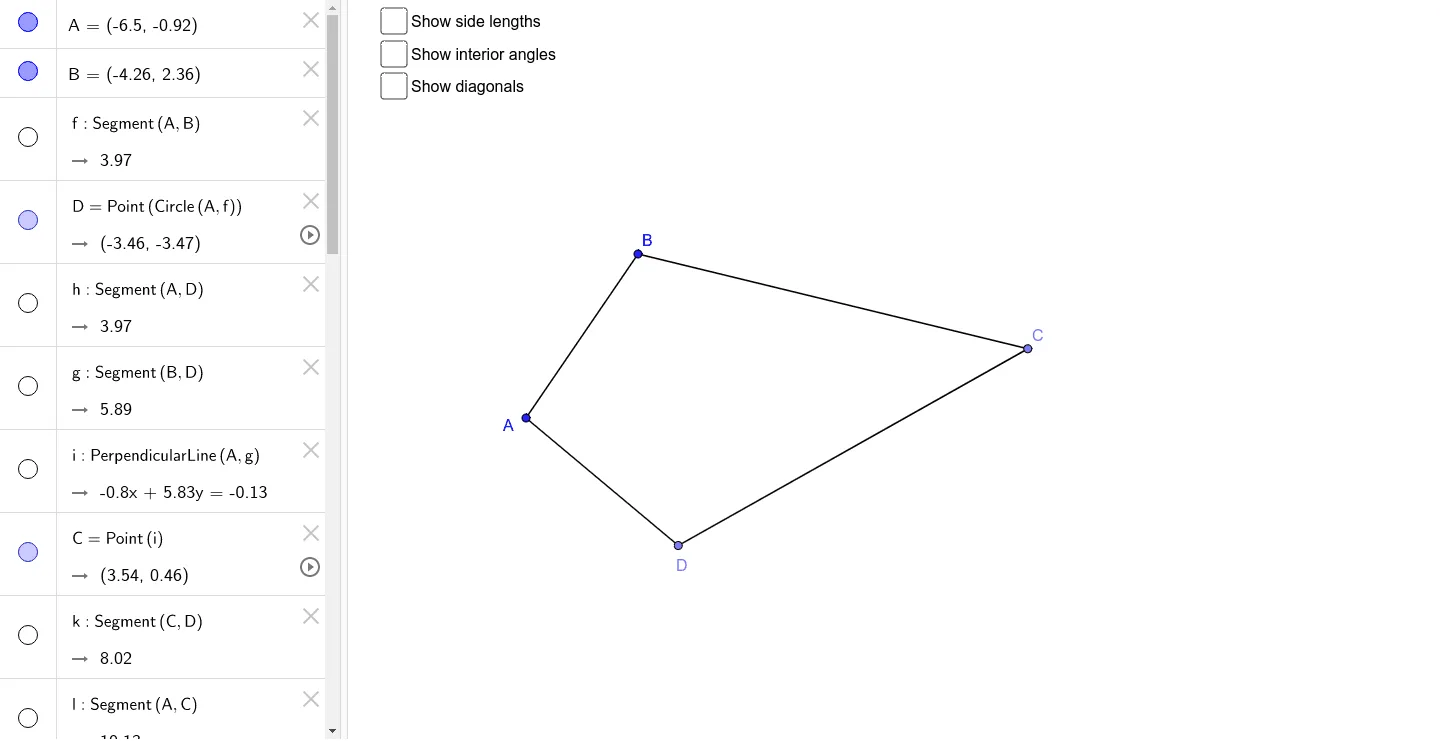
This example demonstrates the geometric properties and symmetry of a kite. It involves core concepts like polygons, angles, distances, symmetry axes, and orthogonal lines. Construction highlights include using GeoGebra commands such as Segment, Point, OrthogonalLine, Angle, and Distance to build and analyze the kite. Suitable for high school mathematics education or for geometry enthusiasts to understand kite construction and properties.
GeoGebra Commands & Parameters
Segment(A, B) → fPoint(Circle[A, f]) → DSegment(A, D) → hSegment(B, D) → gOrthogonalLine(A, g) → iPoint(i) → CSegment(C, D) → kSegment(A, C) → lAngle(g, l) → αSegment(B, C) → jSegment(B, A) → mSegment(A, D) → nSegment(D, C) → pSegment(C, B) → qDistance(A, C) → distanceACDistance(D, B) → distanceDBAngle(A, B, C) → βAngle(B, C, D) → γAngle(C, D, A) → δAngle(D, A, B) → ε
AI Drawing Prompt Reference
Draw a kite shape to demonstrate its geometric properties and symmetry. Start by drawing two intersecting line segments, then use one segment as a diameter to draw a circle and mark the intersection points as the kite's vertices. Connect the vertices to the center to form the diagonals, and use perpendicular lines to construct the remaining vertices. Finally, measure and label the interior angles and side lengths, highlighting the symmetry axes and orthogonal relationships.
The prompt above was compiled from the original drawing commands and is for reference only.