
Translation Tessellation Step 9
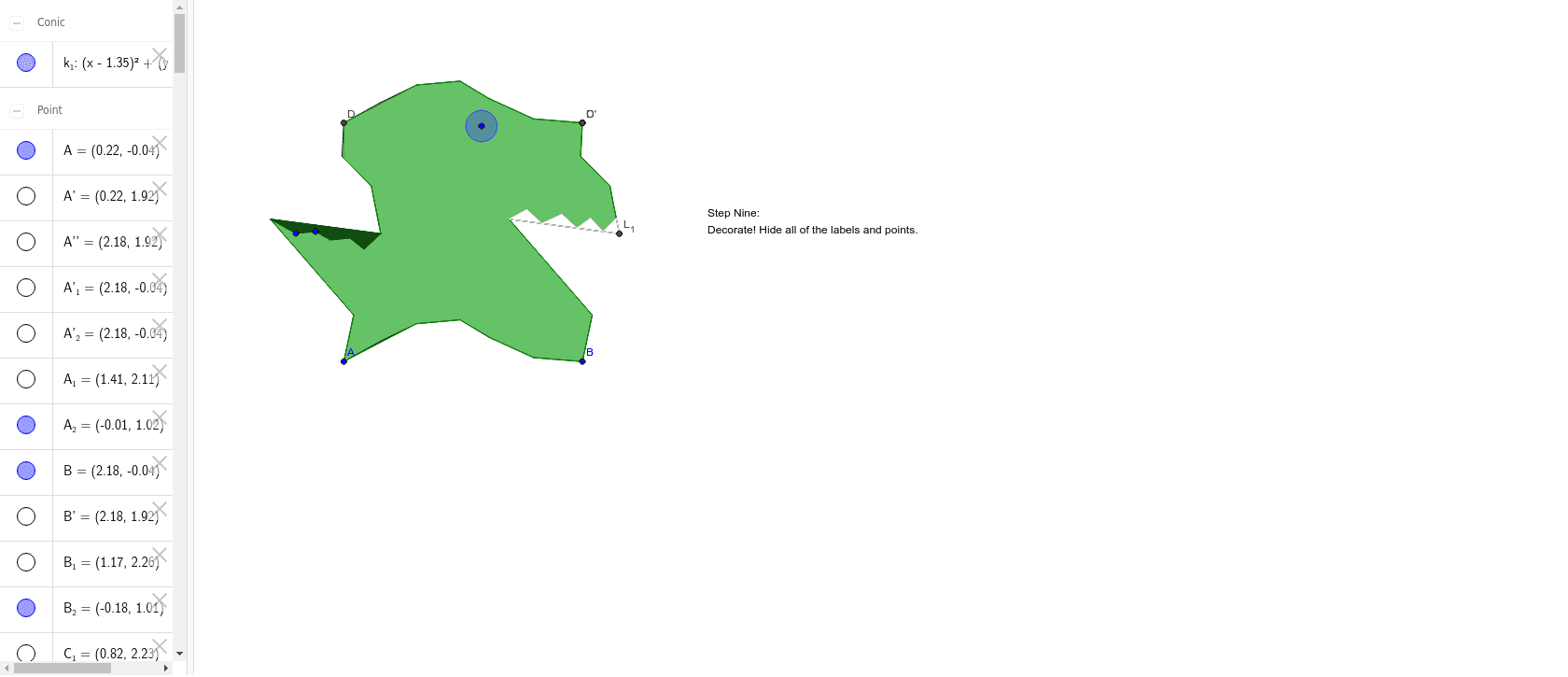
Loading the math board and drawing, please wait…
In collections
Translation Tesselation
This example demonstrates the construction of a geometric pattern using translation operations, specifically showing how vector transformations and geometric transformations can generate complex fractal structures. Core mathematical concepts include vectors, translation transformations, polygon construction, and analytical geometry. Key GeoGebra commands and objects used in the construction, as derived from the construction summary, are Polygon, Segment, Vector, Translate, Intersect, Point, and Circle. Suitable for high school and above learners to understand the application of geometric transformations in art and design, as well as exploring the principles of fractal geometry.
GeoGebra Commands & Parameters
Polygon(A, B, 4) → poly1, a, b, c, d, C, DSegment(A, E) → eSegment(E, F) → fSegment(F, G) → gSegment(G, H) → hSegment(J, B) → kSegment(H, J) → iVector(A, D) → uTranslate(A, u) → A'Translate(E, u) → E'Segment(A', E') → e'Translate(E, u) → E'_1Translate(F, u) → F'Segment(E'_1, F') → f'Translate(F, u) → F'_1Translate(G, u) → G'Segment(F'_1, G') → g'Translate(G, u) → G'_1Translate(H, u) → H'Segment(G'_1, H') → h'Translate(J, u) → J'Translate(B, u) → B'Segment(J', B') → k'Translate(H, u) → H'_1Translate(J, u) → J'_1Segment(H'_1, J'_1) → i'Segment(D, I) → jSegment(I, K) → lSegment(K, L) → mSegment(L, M) → nSegment(M, N) → pSegment(N, A) → qVector(A, B) → vTranslate(A, v) → A'_1Translate(E, v) → E'_2Segment(A'_1, E'_2) → e'_1Translate(A', v) → A''Translate(E', v) → E''Segment(A'', E'') → e''Translate(D, v) → D'Translate(I, v) → I'Segment(D', I') → j'Translate(I, v) → I'_1Translate(K, v) → K'Segment(I'_1, K') → l'Translate(K, v) → K'_1Translate(L, v) → L'Segment(K'_1, L') → m'Translate(L, v) → L'_1Translate(M, v) → M'Segment(L'_1, M') → n'Translate(M, v) → M'_1Translate(N, v) → N'Segment(M'_1, N') → p'Translate(N, v) → N'_1Translate(A, v) → A'_2Segment(N'_1, A'_2) → q'Intersect(f, g) → OIntersect(g, h) → PPoint(i) → QIntersect(k, i) → RIntersect(p', q') → SIntersect(n', p') → TIntersect(m', n') → UIntersect(l', m') → VIntersect(j', l') → WIntersect(k', i') → ZIntersect(h', i') → A_1Intersect(g', h') → B_1Intersect(f', g') → C_1Point(l) → D_1Intersect(l, m) → E_1Intersect(m, n) → F_1Intersect(n, p) → G_1Intersect(p, q) → H_1Polygon(A, O, W, C, Z, A_1, B_1, C_1, D, D_1, E_1, F_1, P, G_1, H_1, Q, R, B, S, T, U, V) → poly2, a_1, v_1, w, c_1, z, a_2, b_2, c_2, d_1, d_2, e_1, o, f_1, g_1, h_1, p_1, q_1, r, b_1, s, t, u_1Circle(I_1, J_1) → k_1Intersect(n', p') → K_1Intersect(m', n') → L_1Point(m') → M_1Point(n') → N_1Point(n') → P_1Point(n') → R_1Polygon(K_1, L_1, M_1, N_1, O_1, P_1, Q_1, R_1, S_1) → poly3, k_2, l_1, m_1, n_1, o_1, p_2, q_2, r_1, s_1Intersect(n, p) → T_1Intersect(m, n) → U_1Polygon(T_1, U_1, V_1, W_1, Z_1, A_2, B_2) → poly4, t_1, u_2, v_2, w_1, z_1, a_3, b_3
AI Drawing Prompt Reference
Draw a geometric pattern consisting of a quadrilateral and multiple line segments, start by drawing a quadrilateral, then draw four line segments from one vertex of the quadrilateral, use vector translation to move the quadrilateral and line segments in the direction of the vector, generating a series of new quadrilaterals and line segments, finally combine these shapes to form a complex geometric pattern.
The prompt above was compiled from the original drawing commands and is for reference only.