
Translation on the Plane
Loading the math board and drawing, please wait…
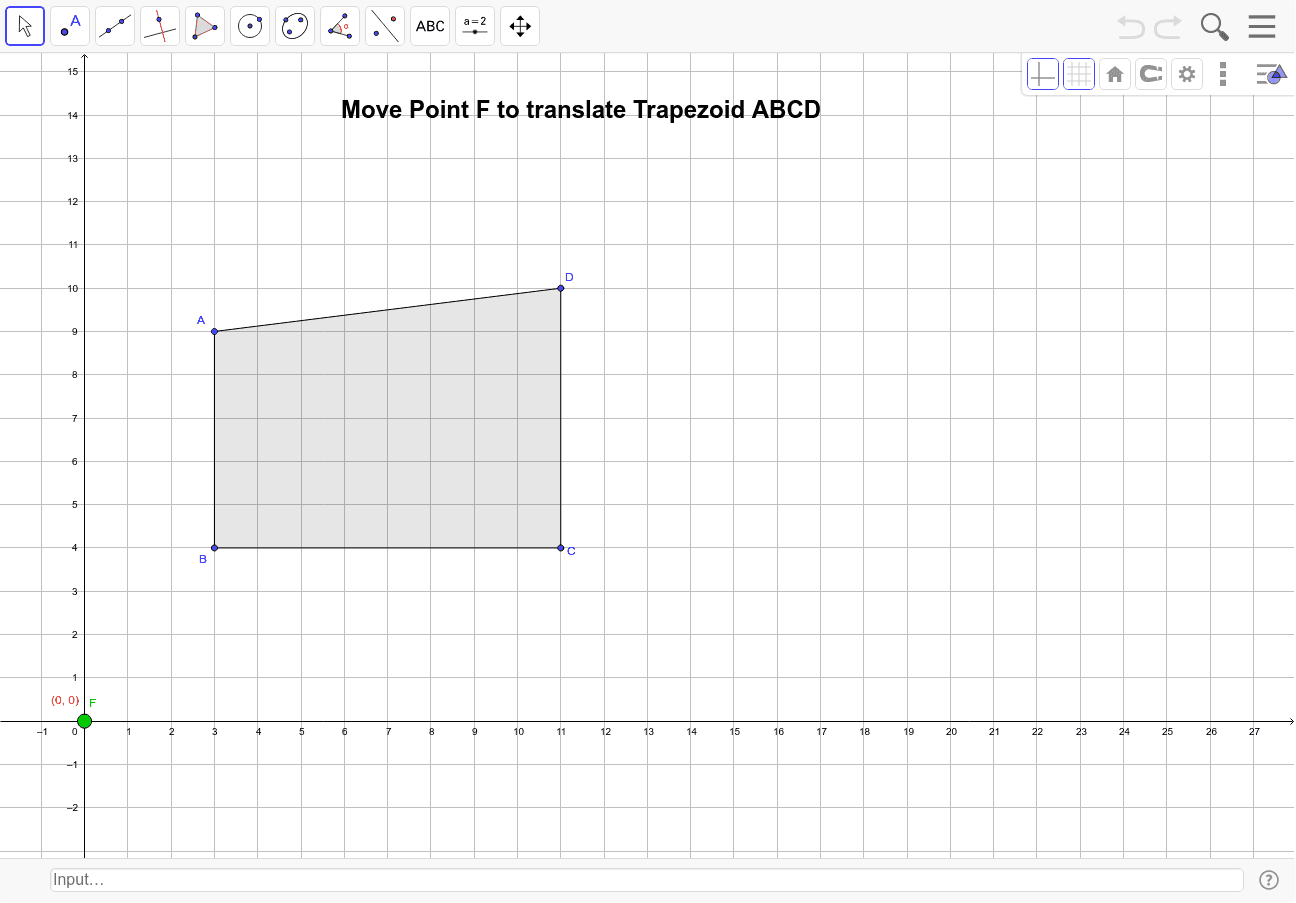
① This GeoGebra example dynamically demonstrates the translation transformation on a plane, showing how a polygon moves as a whole under a given vector. ② The core mathematical concept is translation in plane geometry, involving vectors, corresponding points, corresponding sides, and the congruence between the original and translated figures. ③ Construction highlights: using GeoGebra commands such as Intersect, Ray, Vector, Polygon, and Translate, the example constructs the original polygon poly1 and its translated image poly1', along with translation vectors u and v, corresponding points A', B', C', D', and a text label text1 for explanation. ④ It is suitable for middle school to high school students learning geometric transformations, and for teachers to demonstrate properties of translation, such as corresponding points connected by parallel and equal segments, and the preservation of shape and size, helping to understand the relationship between vectors and coordinates.
GeoGebra Commands & Parameters
Intersect(xAxis, yAxis) → ERay(E, F) → aVector(E, F) → uVector(E, F) → vPolygon(B, A, D, C) → poly1, b, a_1, d, cTranslate(B, v) → B'Translate(A, v) → A'Translate(D, v) → D'Translate(C, v) → C'Polygon(B', A', D', C') → poly1', b', a', d', c'
AI Drawing Prompt Reference
In a coordinate plane, start at the origin and draw a ray extending to a point, then create a translation vector from the origin to that point. Construct a quadrilateral using four points in order as the original shape. Translate each of these four points by the same vector to obtain four new points, and connect them in the same order to form the translated quadrilateral. Finally, label the translation vector and add a text note explaining that the original and translated quadrilaterals are congruent, with corresponding points connected by parallel and equal segments.
The prompt above was compiled from the original drawing commands and is for reference only.