
Translation and Rotation Transformation Demo
Loading the math board and drawing, please wait…
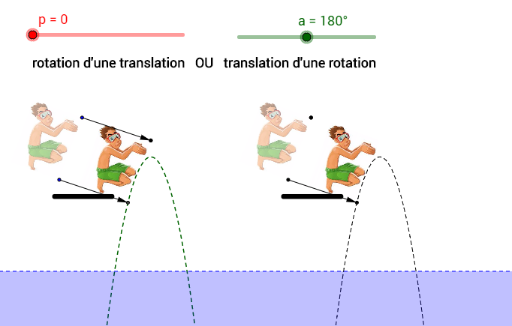
This example demonstrates the effects of translation and rotation transformations on points, vectors, and shapes in a 2D plane. It involves core mathematical concepts such as vectors, translation transformations, rotation transformations, angle calculations, and coordinate system applications. Key construction points include using GeoGebra commands like Vector, Translate, Rotate, and Angle, as listed in the summary. Suitable for high school mathematics students and teachers to understand spatial transformations, vector operations, and geometric constructions.
GeoGebra Commands & Parameters
Vector(A, C) → uTranslate(B, u) → B'Rotate(B', ((-p) * a), C) → B''Vector(B, B') → vAngle(B'', C, B') → αSegment(D, E) → iTranslate(A, Vector[(20, 0)]) → AATranslate(B, Vector[(20, 0)]) → BBRotate(BB, ((-p) * a), AA) → BB'Vector(AA, CC) → wTranslate(image3, w) → image3'Translate(D, Vector[(20, 0)]) → D'Translate(E, Vector[(20, 0)]) → E'Segment(D', E') → i'Angle(BB', AA, BB) → β
AI Drawing Prompt Reference
Draw a triangle in a 2D plane with three vertices. Create a vector from one vertex to another, then translate the third vertex by this vector to get a new point. Rotate this translated point around the first vertex by a certain angle to obtain another point. Connect the original vertex and the translated point to form a vector, and measure the angle between the rotated point, the rotation center, and the translated point. To the right, copy the entire triangle with a horizontal offset, and repeat the same translation and rotation steps, measuring the corresponding angle to compare the transformations.
The prompt above was compiled from the original drawing commands and is for reference only.