
Translate Command to Move Point Through Maze
Loading the math board and drawing, please wait…
In collections
Translation Mazes
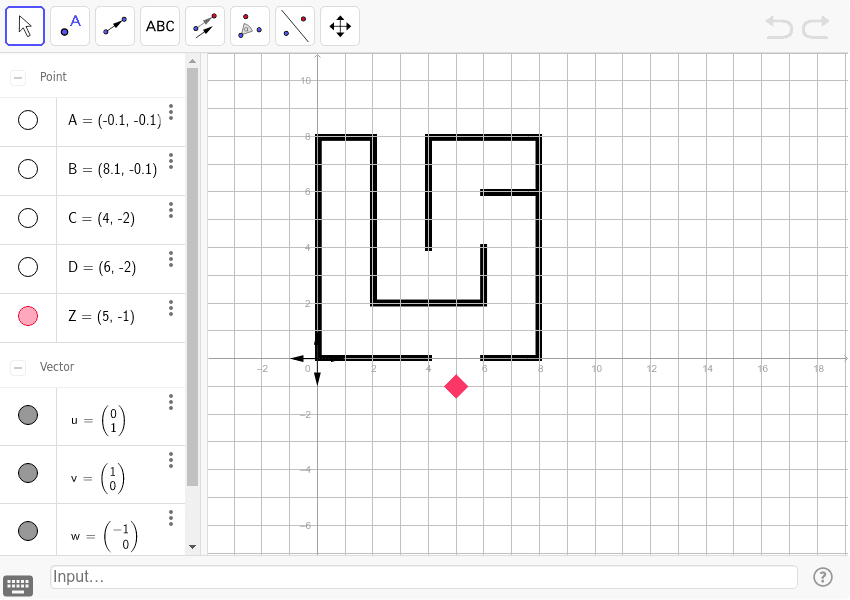
This example demonstrates using the Translate command in GeoGebra to move a point through a maze. It involves core math concepts like vectors, coordinate geometry, and transformation. Key GeoGebra commands used include Vector with objects A, B, C, D, u, Z, v, w, z. Suitable for high school mathematics teaching to understand vector operations and geometric transformations in path planning applications.
GeoGebra Commands & Parameters
Vector((0, 0), (0, 1)) → uVector((0, 0), (1, 0)) → vVector((0, 0), (-1, 0)) → wVector((0, 0), (0, -1)) → z
AI Drawing Prompt Reference
Draw a maze and show how to move a point through it using three direction vectors (up, right, left), each starting from the origin, representing upward, rightward, and leftward movement directions, with the point moving sequentially along these vectors, creating a clear path through the maze.
The prompt above was compiled from the original drawing commands and is for reference only.