
Transformations - Rotations
Loading the math board and drawing, please wait…
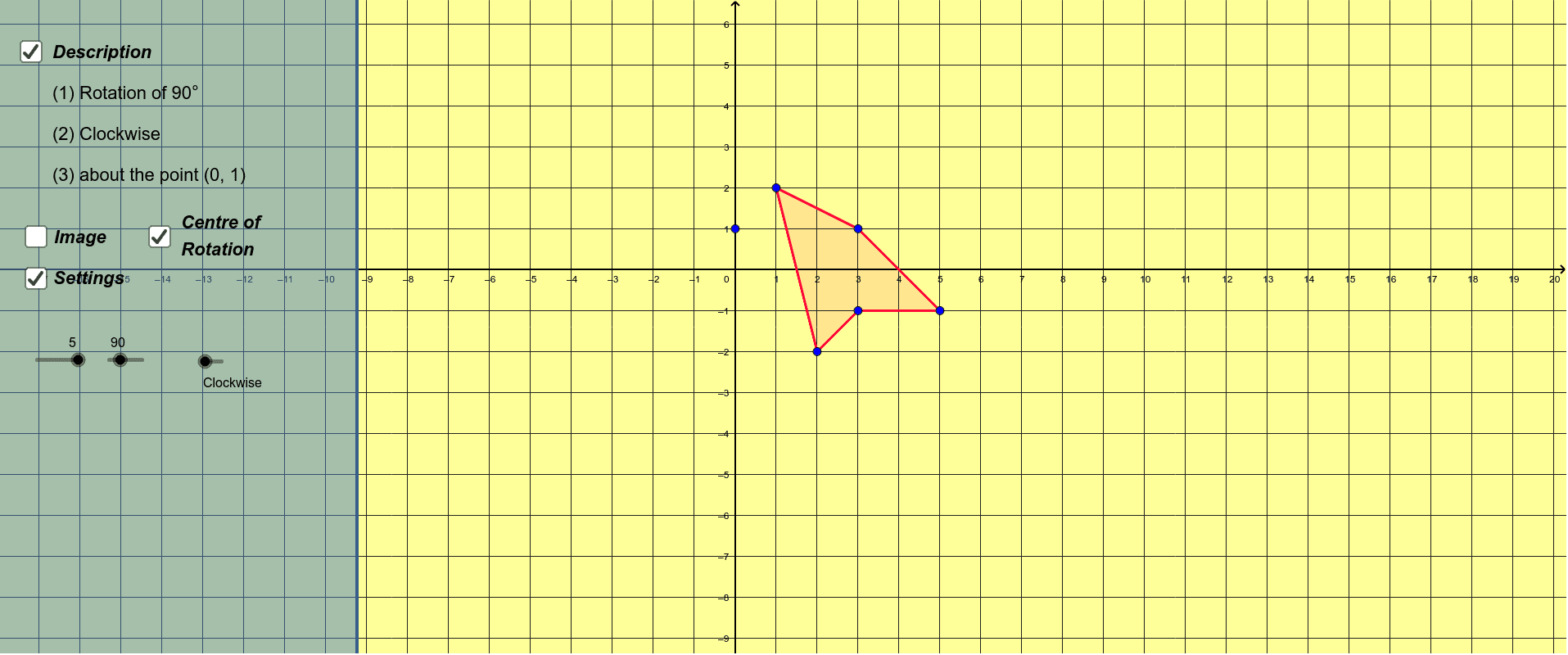
This example demonstrates how to perform rotation transformations using GeoGebra. The key mathematical concept involved is geometric transformations, specifically rotation. The construction uses commands like Polygon and Rotate, with parameters such as Clockwise and Degrees. Suitable for students at the middle school level and above, this example is ideal for learning about geometric transformations.
GeoGebra Commands & Parameters
Polygon(A, B, C) → poly1, c, a, bPolygon(D, E, F, G) → poly2, d, e, f, gPolygon(H, I, J, K, L) → poly3, h, i, j, k, lRotate(B, R°, M) → B'Rotate(A, R°, M) → A'Rotate(C, R°, M) → C'Polygon(A', B', C') → poly1', c', a', b'Rotate(D, R°, M) → D'Rotate(E, R°, M) → E'Rotate(F, R°, M) → F'Rotate(G, R°, M) → G'Polygon(D', E', F', G') → poly2', d', e', f', g'Rotate(H, R°, M) → H'Rotate(I, R°, M) → I'Rotate(J, R°, M) → J'Rotate(K, R°, M) → K'Rotate(L, R°, M) → L'Polygon(H', I', J', K', L') → poly3', h', i', j', k', l'
AI Drawing Prompt Reference
Draw a triangle ABC, then rotate it 90 degrees counterclockwise around point M to get triangle A'B'C'. Next, draw a quadrilateral DEFG and rotate it 90 degrees counterclockwise around point M to get quadrilateral D'E'F'G'. Finally, draw a pentagon HIJKL and rotate it 90 degrees counterclockwise around point M to get pentagon H'I'J'K'L'.
The prompt above was compiled from the original drawing commands and is for reference only.