
Tracing the Orthocenter of a Triangle
Loading the math board and drawing, please wait…
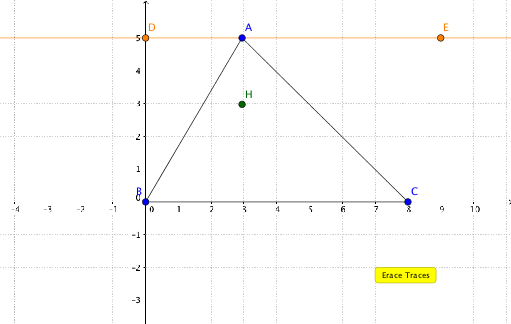
This example demonstrates how to use GeoGebra to trace the orthocenter of a triangle, which is the point where the three altitudes of a triangle intersect. By utilizing commands such as Line, Point, Segment, OrthogonalLine, Intersect, and Locus, the construction process is dynamically shown. Suitable for middle school and above students to learn about triangle properties and geometric construction.
GeoGebra Commands & Parameters
Line(D, E) → kPoint(k) → ASegment(A, B) → fSegment(B, C) → gSegment(C, A) → hOrthogonalLine(A, g) → iOrthogonalLine(B, h) → jIntersect(i, j) → HLocus(H, A) → loc1