
Tino's First GeoGebra Work: Comprehensive Geometric Construction with Polygons a
Loading the math board and drawing, please wait…
In collections
polygons (GER)
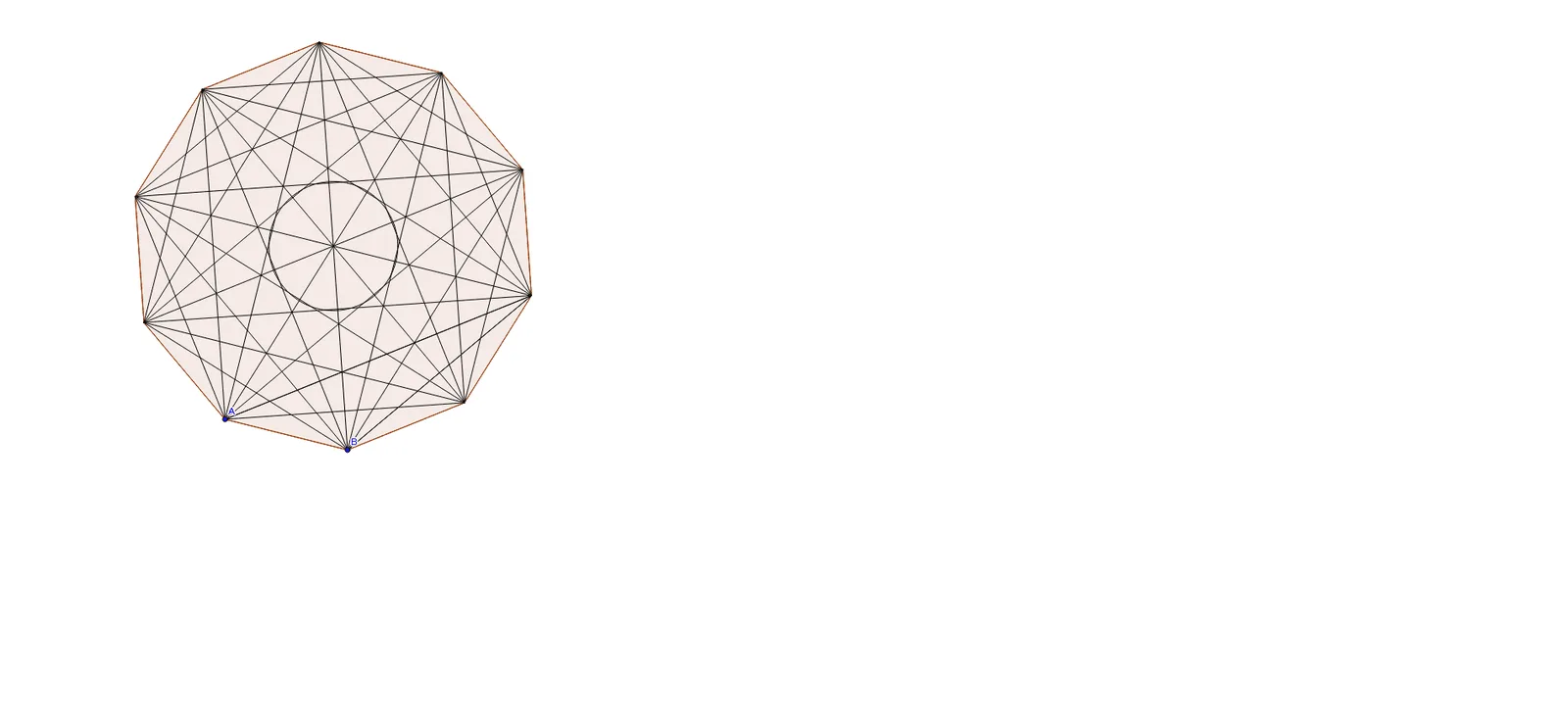
① This example demonstrates a comprehensive geometric construction in GeoGebra, combining polygons, segments, intersection points, points, and circles to form a complex figure, likely involving multiple polygons and circles with intersecting or tangent relationships. ② Core mathematical concepts include polygon properties, circle geometry, intersection and concurrency, as well as potential statistical ideas like median or linear programming (as hinted by original tags). ③ Construction highlights: Based on the summary, commands such as Polygon, Segment, Intersect, Point, and Circle were used, creating objects like A, B, Vieleck1, and numerous auxiliary segments and points (a through t, a_1 through i_1), indicating a rich structure with nested or interrelated geometric elements. ④ Suitable for middle/high school geometry lessons or as an introductory GeoGebra exercise, helping students understand the combination and interaction of basic geometric objects, and serving as a teacher demonstration of geometric construction processes.
GeoGebra Commands & Parameters
Polygon(A, B, 10) → Vieleck1, a, j, C, D, E, F, G, H, I, J, b, c, d, e, f, g, h, iSegment(G, B) → kSegment(F, A) → lSegment(I, D) → mIntersect(k, l) → KSegment(H, C) → nSegment(J, E) → pSegment(G, C) → qSegment(G, A) → rSegment(G, J) → sSegment(G, I) → tSegment(G, D) → a_1Segment(G, E) → b_1Segment(F, H) → c_1Segment(F, I) → d_1Segment(F, J) → e_1Segment(F, B) → f_1Segment(F, C) → g_1Segment(F, D) → h_1Segment(E, H) → i_1Segment(E, I) → j_1Segment(E, A) → k_1Segment(E, B) → l_1Segment(E, C) → m_1Segment(D, H) → n_1Segment(D, J) → p_1Segment(D, A) → q_1Segment(D, B) → r_1Segment(C, I) → s_1Segment(C, J) → t_1Segment(C, A) → a_2Segment(B, J) → b_2Segment(B, I) → c_2Segment(B, H) → d_2Segment(B, D) → e_2Segment(A, I) → f_2Segment(A, H) → g_2Segment(A, D) → h_2Segment(J, H) → i_2Intersect(k, l) → LPoint(j_1) → MCircle(L, M) → k_2
AI Drawing Prompt Reference
Draw a regular decagon. From two adjacent vertices, draw segments to all other vertices, creating a dense network of lines. Find the intersection of two diagonals, use it as the center of a circle, and set the radius to a point on another segment. The figure consists of the polygon, many crossing segments, intersection points, and one circle, showing complex geometric relationships.
The prompt above was compiled from the original drawing commands and is for reference only.