
Throwing a Ball on Different Planets
Loading the math board and drawing, please wait…
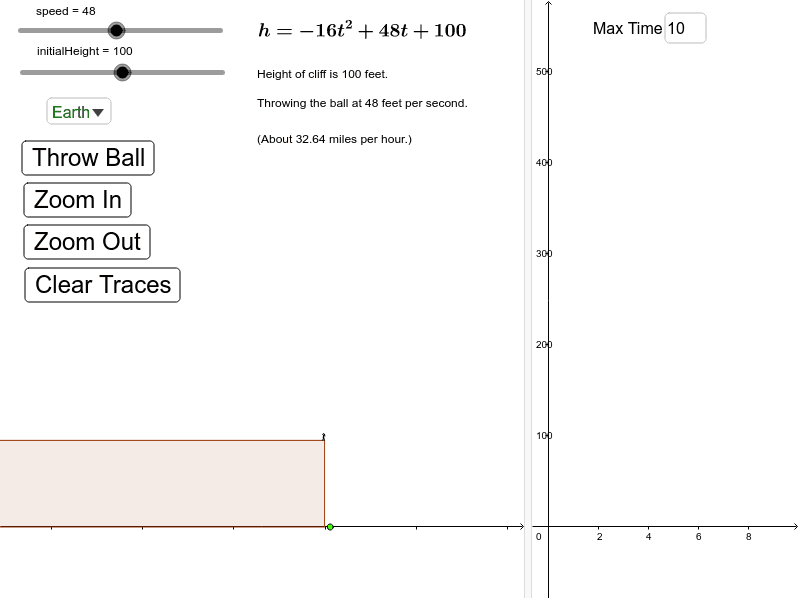
This example demonstrates the trajectory, flight time, and maximum height of a ball thrown on different planets. Key math concepts include parabola, function graphing, gravitational acceleration, and kinematic equations. It utilizes GeoGebra commands like Corner, Point, Polygon, Circle, Segment, If, SelectedIndex, Element, Textfield, and objects such as time, gravity, speed, and initial height. Suitable for high school physics and mathematics education, helping students understand gravity, motion, and function relationships through interactive visualization.
GeoGebra Commands & Parameters
Corner(3) → cornerUR2Corner(2) → cornerBR2Point({time + (timeBoundRight - timeBoundLeft) / 100, y(cornerBR2)}) → rightShadeLowerLeftCornerPoint({time + (timeBoundRight - timeBoundLeft) / 100, y(cornerUR2)}) → rightShadeUpperLeftCornerCorner(4) → cornerUL2Corner(1) → cornerBL2Point({time - (timeBoundRight - timeBoundLeft) / 100, y(cornerBL2)}) → leftShadeLowerRightCornerPoint({time - (timeBoundRight - timeBoundLeft) / 100, y(cornerUL2)}) → leftShadeUpperRightCornerCorner(1) → KPolygon((-0.5, 0), (-0.5, initialHeight - 5), (x(K), initialHeight - 5), (x(K), 0)) → cliff, cliffRight, cliffUpper, cliffLeft, cliffLowerCircle((-1.5, initialHeight + 1.5), 1) → eSegment(E, D) → personTorsoSegment(D, C) → personLeftLegSegment(D, B) → personRightLegSegment(E, F) → personNeckSegment(E, A) → personRightArmSegment(E, G) → personLeftArmIf(t < hitGroundTime, -currentGravity * t^(2) + currentSpeed * t + currentInitialHeight, 0) → hCorner(4) → LSelectedIndex(planets) → planetIndexElement(planetGravity, planetIndex) → gravityTextfield(timeBoundRight) → inputBox1Corner(2) → cornerBR1Polygon(cornerUL2, cornerBL2, leftShadeLowerRightCorner, leftShadeUpperRightCorner) → leftShade, a, b, c, dPolygon(cornerUR2, rightShadeUpperLeftCorner, rightShadeLowerLeftCorner, cornerBR2) → rightShade, f, g, i, j
AI Drawing Prompt Reference
Visualize a ball's parabolic trajectory on different planets, showing flight time, maximum height, and the effect of gravity. Use sliders to select planets, displaying the ball's path and shaded areas under its motion. Mark key points like the start, peak, and landing spots. Include a cliff and a person in the background, with dynamic effects to illustrate the relationship between physical motion and mathematical functions.
The prompt above was compiled from the original drawing commands and is for reference only.