
System of a Cube
Loading the math board and drawing, please wait…
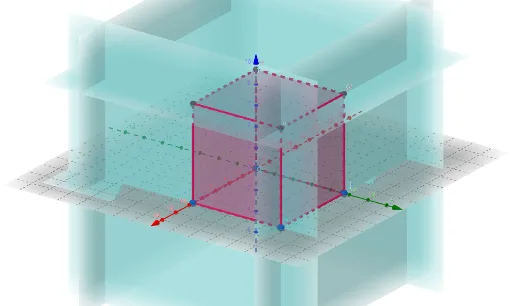
This example demonstrates the faces and edges of a cube. It involves key concepts in solid geometry such as faces, edges, and vertices. Using GeoGebra commands like Point, Cube, Face, and Edge, the construction of a cube's faces and edges is illustrated. Suitable for middle school and above students learning solid geometry.
GeoGebra Commands & Parameters
Point(Circle[B, Distance[D, B], Segment[D, B]]) → ECube(D, B, E) → a, F, faceEFJI, faceGHIJ, edgeDF, edgeBD, edgeBE, edgeEF, edgeDG, edgeFJ, edgeGJ, edgeGH, G, edgeBH, edgeHI, edgeEI, edgeIJ, H, I, J, faceBDFE, faceDFJG, faceBDGH, faceBEIH
AI Drawing Prompt Reference
Draw a cube with six faces and twelve edges. Start by defining a vertex D, then find a point B that is equidistant from D, and proceed to draw the six faces of the cube, such as face BDFE, face DFJG, face BDGH, face BEIH, face EFJI, and face GHIJ, along with their twelve edges, like edge DF, edge BD, and edge BE.
The prompt above was compiled from the original drawing commands and is for reference only.