
Symmetry of a Multi-Ring Fence Design
Loading the math board and drawing, please wait…
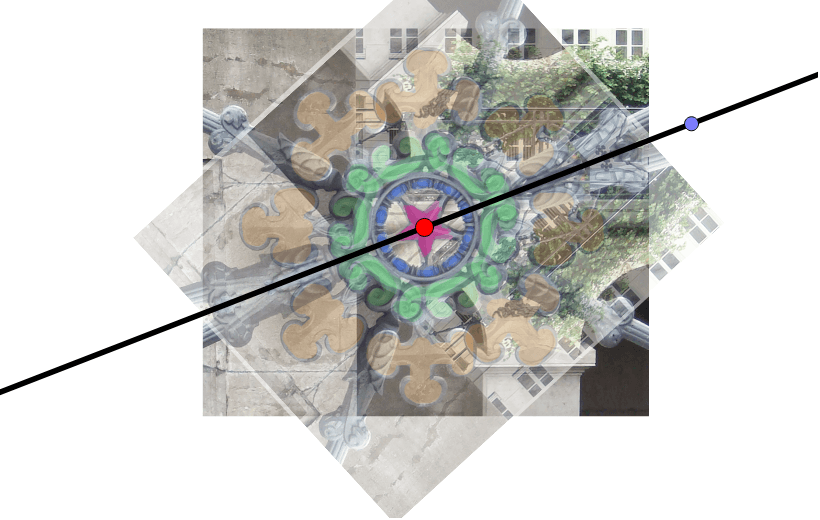
This GeoGebra example demonstrates a fence design composed of several rings, inviting learners to investigate whether the entire pattern possesses reflectional symmetry and how many lines of symmetry it has. The core mathematical concepts include reflectional symmetry, geometric transformations, circle geometry, and the relationship between local symmetry of individual rings and global symmetry of the composite design. Construction uses GeoGebra commands Circle to draw the rings, Point to define control points A, B, C, D, and E, Line to construct the axis line a, and Mirror to perform reflection operations, with an image object pic1 overlaid for visual context. The resource is suitable for middle school and high school geometry classes, serving as a dynamic demonstration or inquiry-based activity for symmetry and transformation topics.
GeoGebra Commands & Parameters
Circle(C, D) → cPoint(c) → ELine(C, E) → aMirror(pic1, a) → pic1'
AI Drawing Prompt Reference
Draw a fence design composed of several rings, with one main circle centered at a point and another point on its circumference defining the radius. Construct a straight line from the center through that circumference point as the axis of symmetry. Mirror the entire fence pattern, including all rings and internal details, across this line to create a symmetric composite figure. Observe whether the overall pattern has reflectional symmetry and count the number of symmetry lines. Include at least five key control points to define ring positions and the axis direction, and keep both the original and mirrored copies for comparison.
The prompt above was compiled from the original drawing commands and is for reference only.