
Surface of Revolution by Mark Dabbs
Loading the math board and drawing, please wait…
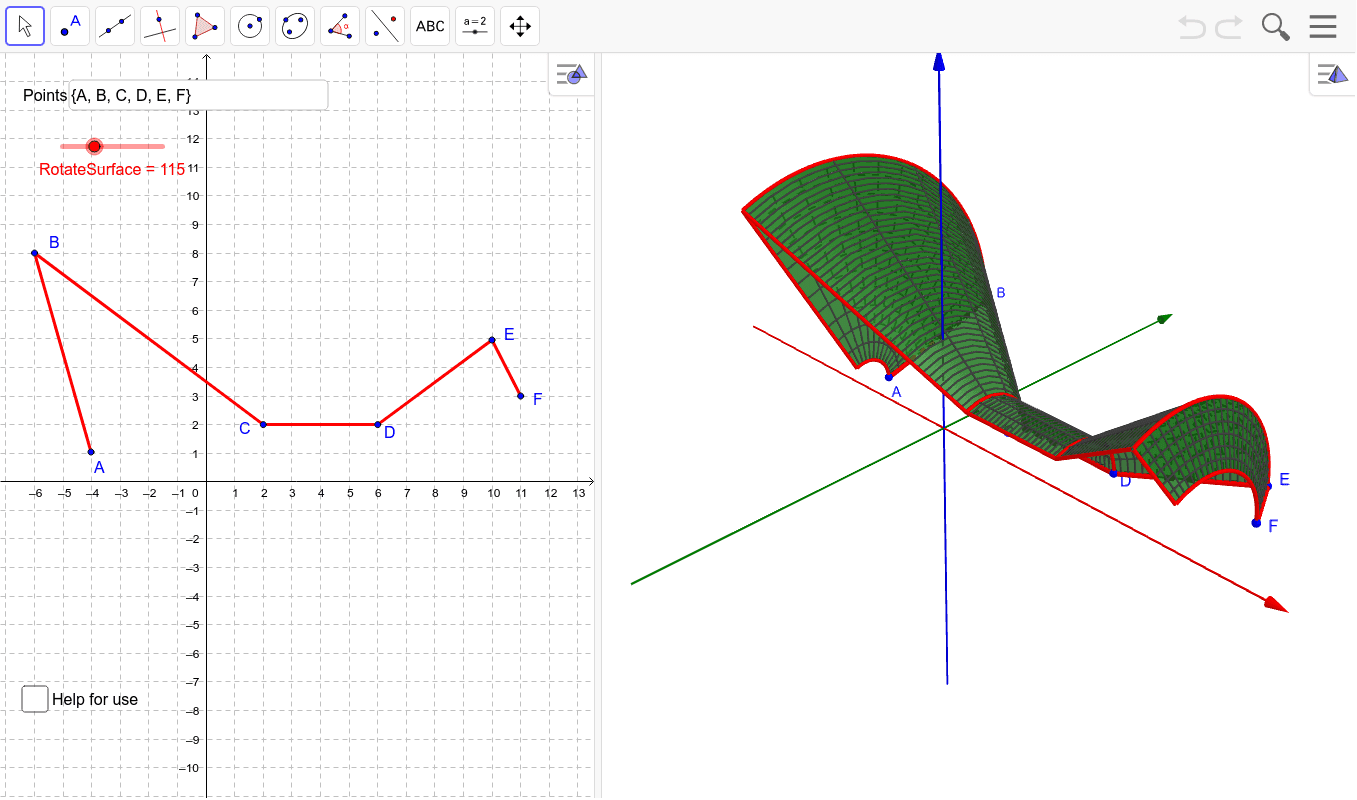
This example demonstrates how to generate a surface of revolution by rotating a curve, visualizing its volume, and displaying tangent lines. Core math concepts include surfaces of revolution, volume calculation, tangent line equations, geometric transformations, logic, and calculus concepts like derivatives and integrals. Construction highlights the use of GeoGebra commands/objects such as Line, OrthogonalLine, Slope, Textfield, Sequence, and objects like F (function curve), C (rotation center), B (rotation point), A (tangent point), D (tangent line), E (auxiliary point), h (height), g (angle), i (parameter), Pts (point set), hB (height point), GradAB (gradient vector), RotateSurface (rotated surface), InputBox1 (input box), gradAnAnp1 (gradient vector), negCones (negative cones), posCones (positive cones), axisPts (axis points), circles (circles), rotSegs (rotational segments), cylinders (cylinders), a (parameter), text1 (text), SegAnAnp1 (segment). Suitable for high school and above students studying calculus, solid geometry, and geometric transformations, or for teaching demonstrations.
GeoGebra Commands & Parameters
Line(B, A) → gOrthogonalLine(A, xAxis) → iSlope(Line[A, B]) → GradABTextfield(Pts) → InputBox1Sequence(Slope[Line[Element[Pts, k], Element[Pts, k + 1]]], k, 1, Length[Pts] - 1) → gradAnAnp1Sequence(Surface[r + x(Element[Pts, k]) - y(Element[Pts, k]) / Element[gradAnAnp1, k], ((Element[gradAnAnp1, k] * r) * cos(u)), ((Element[gradAnAnp1, k] * r) * sin(u)), r, If[x(Element[Pts, k]) ≤ x(Element[Pts, k + 1]), y(Element[Pts, k]) / Element[gradAnAnp1, k], y(Element[Pts, k + 1]) / Element[gradAnAnp1, k]], If[x(Element[Pts, k]) ≤ x(Element[Pts, k + 1]), y(Element[Pts, k]) / Element[gradAnAnp1, k], y(Element[Pts, k]) / Element[gradAnAnp1, k]], u, 0, ((2 * π / 360) * RotateSurface)], k, 1, Length[Pts] - 1) → negConesSequence(Surface[r + x(Element[Pts, k]) - y(Element[Pts, k]) / Element[gradAnAnp1, k], ((Element[gradAnAnp1, k] * r) * cos(u)), ((Element[gradAnAnp1, k] * r) * sin(u)), r, y(Element[Pts, k]) / Element[gradAnAnp1, k], y(Element[Pts, k + 1]) / Element[gradAnAnp1, k], u, 0, ((2 * π / 360) * RotateSurface)], k, 1, Length[Pts] - 1) → posConesSequence((x(Element[Pts, k]), 0), k, 1, Length[Pts]) → axisPtsSequence(CurveCartesian[x(Element[Pts, k]), (y(Element[Pts, k]) * cos(t°)), (y(Element[Pts, k]) * sin(t°)), t, 0, RotateSurface], k, 1, Length[Pts]) → circlesSequence(Segment[Rotate[Element[Pts, k], RotateSurface°, xAxis], Rotate[Element[Pts, k + 1], RotateSurface°, xAxis]], k, 1, Length[Pts] - 1) → rotSegsSequence(If[y(Element[Pts, k]) ≟ y(Element[Pts, k + 1]), Surface[r, (y(Element[Pts, k]) * cos(u)), (y(Element[Pts, k]) * sin(u)), r, x(Element[Pts, k]), x(Element[Pts, k + 1]), u, 0, ((2 * π / 360) * RotateSurface)]], k, 1, Length[Pts] - 1) → cylindersSequence(Segment[Element[Pts, k], Element[Pts, k + 1]], k, 1, Length[Pts] - 1) → SegAnAnp1