
Surface of Figure 2
Loading the math board and drawing, please wait…
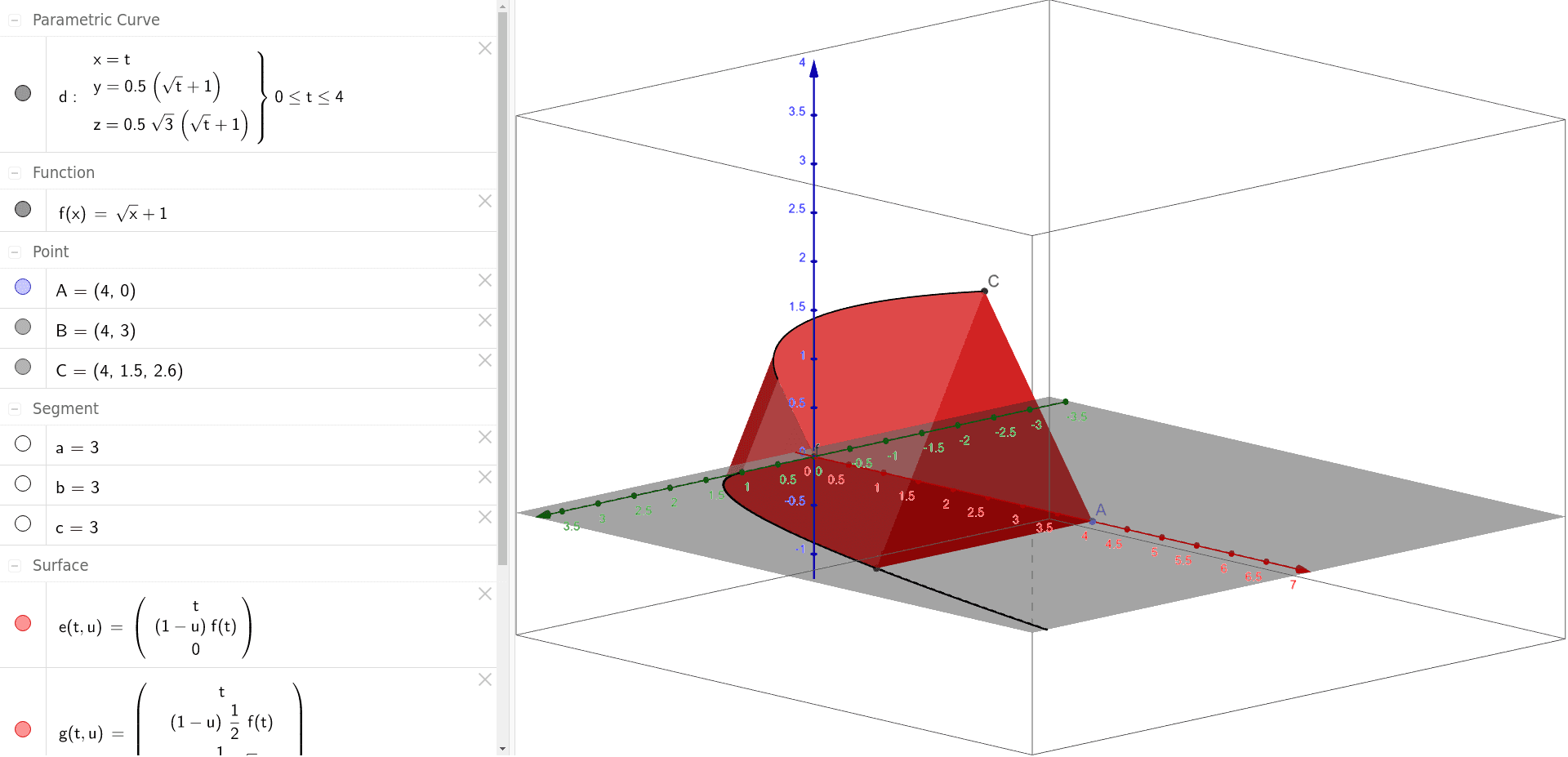
This example demonstrates how to create a surface using GeoGebra by combining polygons and Cartesian curves. Key mathematical concepts include surface, histogram, mode, indefinite integral, probability, and special points. The construction involves commands like Point, Polygon, CurveCartesian, and Surface. Suitable for high school students and above to explore solid geometry, calculus, and probability & statistics.
GeoGebra Commands & Parameters
Point(Segment[(0, 0), (4, 0)]) → APolygon(A, B, C) → poly1, c, a, bCurveCartesian(t, (0.5 * f(t)), ((0.5 * sqrt(3)) * f(t)), t, 0, 4) → dSurface(t, ((1 - u) * f(t)), 0, t, 0, 4, u, 0, 1) → eSurface(t, (((1 - u) * 1 / 2) * f(t)), ((((1 - u) * 1 / 2) * sqrt(3)) * f(t)), t, 0, 4, u, 0, 1) → gSurface(t, (u * f(t)) + (((1 - u) * 1 / 2) * f(t)), (0 * u) + ((((1 - u) * 1 / 2) * sqrt(3)) * f(t)), t, 0, 4, u, 0, 1) → h
AI Drawing Prompt Reference
Draw a 3D solid composed of two surfaces. The first surface is a parabolic shape, and the second is a cylindrical shape. They connect along the x-axis from 0 to 4 to form a closed structure. Construct by first drawing the parabolic curve, converting it to a surface, adding the cylindrical surface, and then combining them.
The prompt above was compiled from the original drawing commands and is for reference only.