
Supplementary Angles: Interactive Geometric Construction
Loading the math board and drawing, please wait…
In collections
Lines and Angles
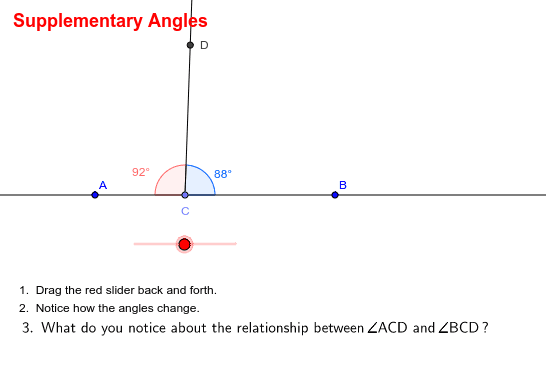
This GeoGebra applet demonstrates supplementary angles—two angles whose measures sum to 180 degrees, forming a straight angle. The core mathematical concepts include angle measurement, supplementary angle pairs, straight angles, adjacent angles, and the geometric relationship between rays and lines. The construction is built using GeoGebra commands Line, Point, Rotate, Angle, and Ray, producing objects such as points A, B, C, D, lines a and b, rays, and angles α, β, γ. By applying rotation and dynamic manipulation, learners can visually verify that the constructed angles are supplementary. This resource is ideal for middle school and early high school geometry instruction, teacher-led classroom demonstrations, and independent student exploration of angle relationships.
GeoGebra Commands & Parameters
Line(A, B) → aPoint(a) → CRotate(B, α, C) → DAngle(B, C, D) → βRay(C, D) → bAngle(D, C, A) → γ
AI Drawing Prompt Reference
Please draw a geometric construction that demonstrates supplementary angles. First, draw a line and mark two points on it. Then, select one of the points and rotate to get a third point. Next, measure the angle between these three points and draw a ray from the second point to the third point. Finally, measure the angle between the new rays formed. By dynamically adjusting the rotation angle, you can verify if these angles are supplementary.
The prompt above was compiled from the original drawing commands and is for reference only.