
Student Translation 4: Vector Translation of a Triangle
Loading the math board and drawing, please wait…
In collections
Translations for Groups
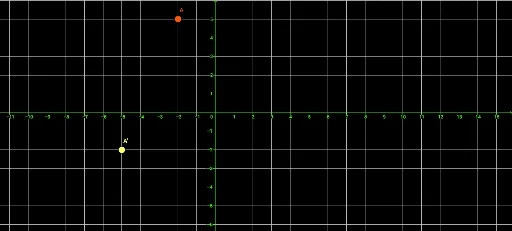
①This example demonstrates how to translate a triangle ABC along a vector u using GeoGebra's Translate command, producing the image triangle A'B'C' and visually illustrating the effect of a translation transformation. ②Core mathematical concepts include plane vectors, translation as a rigid motion, the role of vector direction and magnitude in shifting figures, and the correspondence between original points and their images. ③Construction highlights: from the summary, the Vector command creates vector u, and the Translate command is applied to points A, B, and C to generate translated points (e.g., A'), thereby constructing the translated triangle; objects include original points, the vector, and the translated image. ④This is suitable for middle school to high school students learning about vectors, geometric transformations, or exploring dynamic geometry software, as well as for teachers demonstrating properties of translation such as parallel and equal connecting segments.
GeoGebra Commands & Parameters
Vector(B, C) → uTranslate(A, u) → A'
AI Drawing Prompt Reference
Draw a triangle ABC and then translate it along vector u to create a new triangle A'B'C'. First, create vector u from point B to point C. Then, translate point A along vector u to get point A'. Repeat this for points B and C to get points B' and C'. Finally, connect points A', B', and C' to form the new triangle A'B'C'.
The prompt above was compiled from the original drawing commands and is for reference only.