
Step-by-Step Copy Geometric Construction
Loading the math board and drawing, please wait…
In collections
Lesson 2: Read and Write Constructions
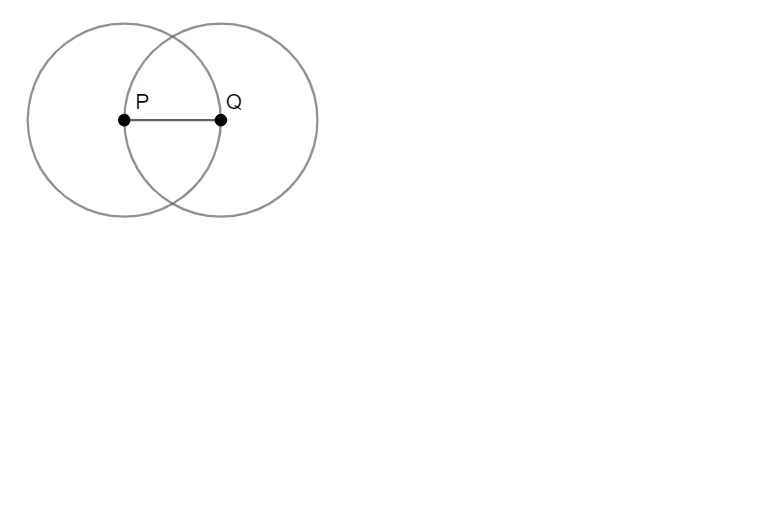
This example demonstrates a step-by-step copying process to construct geometric figures, focusing on the interaction between circles and segments to illustrate sequential geometric building. Key mathematical concepts include geometric construction, properties of circles, segment drawing, and possibly incircle or sequence ideas, emphasizing how basic elements evolve into complex shapes through iterative steps. Construction highlights involve GeoGebra commands like Circle for creating circle objects (e.g., c, d, f) and Segment for drawing lines, with objects such as points P and Q, showcasing a methodical approach to accurate figure development. It is suitable for middle or high school geometry lessons, aiding in teaching fundamental construction techniques and spatial reasoning skills.
GeoGebra Commands & Parameters
Circle(Q, P) → cCircle(P, Q) → dSegment(P, Q) → f
AI Drawing Prompt Reference
Draw two circles, one centered at point Q with radius P and another centered at point P with radius Q. Then draw a line segment connecting points P and Q. Illustrate the geometric construction process involving the interaction of the circles and the segment, showing how basic elements combine to form complex shapes, suitable for teaching geometric construction and spatial reasoning.
The prompt above was compiled from the original drawing commands and is for reference only.