
Step 2 Math Example
Loading the math board and drawing, please wait…
In collections
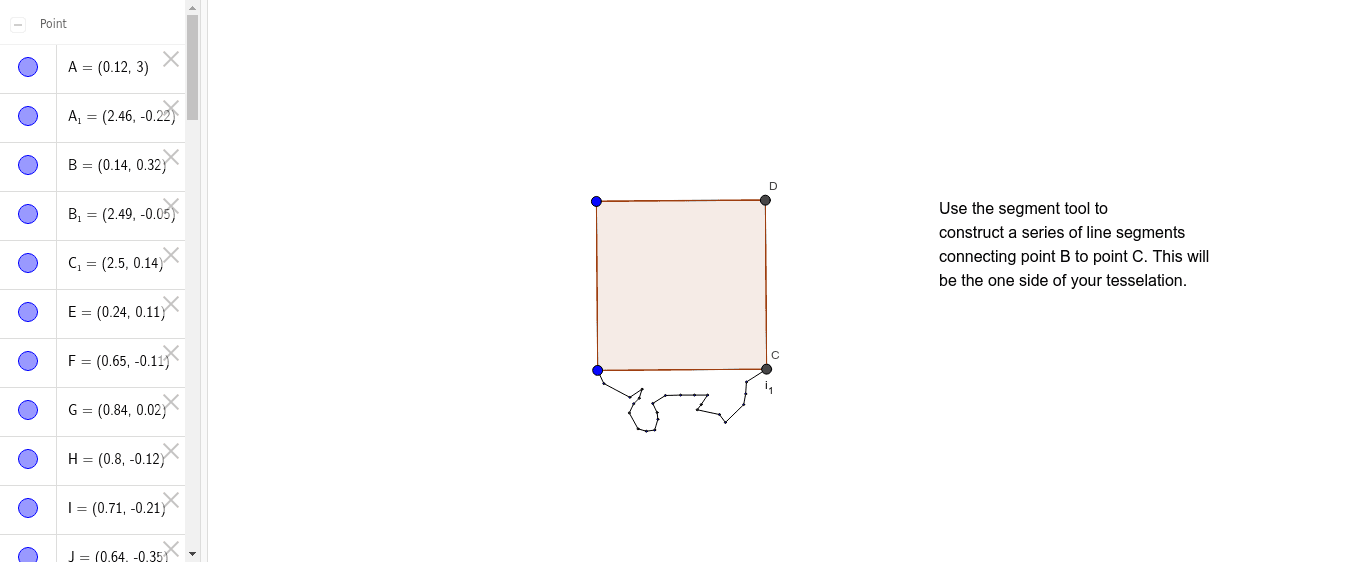
Hands in the Air: Square Translation Tessellation
This example demonstrates how to use GeoGebra to construct polygons and segments, along with interactive text and points. Core math concepts include polygon construction, segment drawing, coordinate geometry, and geometric construction. Key construction elements involve commands like Polygon, Segment, and objects such as text1, A, B, poly1, a, b, c, d, C, D, E, e, F, f, G, g, H, h, I, i, J, j, K, k, L, l, M, m, N, n, O, p, P, q, Q, r, R, s, S, t. Suitable for high school mathematics teaching and geometric construction learning.
GeoGebra Commands & Parameters
Polygon(A, B, 4) → poly1, a, b, c, d, C, DSegment(B, E) → eSegment(E, F) → fSegment(F, G) → gSegment(G, H) → hSegment(H, I) → iSegment(I, J) → jSegment(J, K) → kSegment(K, L) → lSegment(L, M) → mSegment(M, N) → nSegment(N, O) → pSegment(O, P) → qSegment(P, Q) → rSegment(Q, R) → sSegment(R, S) → tSegment(S, T) → a_1Segment(T, U) → b_1Segment(U, V) → c_1Segment(V, W) → d_1Segment(W, Z) → e_1Segment(Z, A_1) → f_1Segment(A_1, B_1) → g_1Segment(B_1, C_1) → h_1Segment(C_1, C) → i_1