
Square Turning
Loading the math board and drawing, please wait…
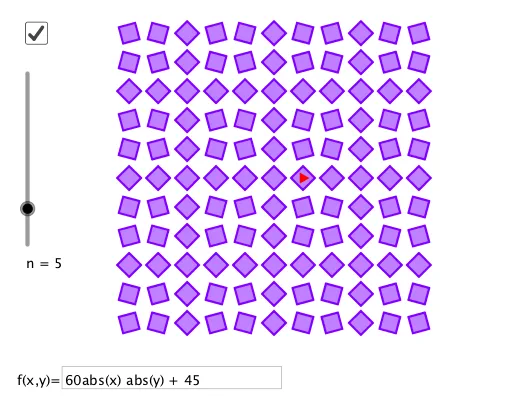
①This example demonstrates a square rotating around a point, with a slider controlling the angle to show the dynamic transformation. ②Core math concepts include rotation, similarity transformation, special points (e.g., rotation center), and properties of polygons under rotation; the original tags also mention linear programming/optimization and 3D shapes, suggesting broader applications. ③Construction: using GeoGebra commands Polygon to create square poly1, Point for center A, Sequence to generate rotated points l1, Textfield and InputBox1 for interactive input, and slider a to control the rotation angle, producing a smooth animated rotation. ④Suitable for middle/high school geometry classes to explore rotation symmetry, dynamic transformations, and as an introduction to similarity or linear transformations.
GeoGebra Commands & Parameters
Polygon((-0.5, -0.5), (0.5, -0.5), 4) → poly1Point(Ray[(0, 0), (1, 0)]) → ASequence(Sequence[Translate[Rotate[poly1, (f(i, j))°], (x(A) * (i, j))], i, (-n), n], j, (-n), n) → l1Textfield(f) → InputBox1
AI Drawing Prompt Reference
Draw a square centered at the origin with side length 1. Place a movable point on a horizontal ray extending right from the origin, serving as the rotation center. Add a slider to control the rotation angle, rotating the square around that point. Generate a series of copies of the square at various rotation angles, arranged horizontally to show dynamic transformation. The figure illustrates rotational symmetry and similarity transformations, suitable for geometry teaching.
The prompt above was compiled from the original drawing commands and is for reference only.