
Square Pyramid Surface and Volume Calculation
Loading the math board and drawing, please wait…
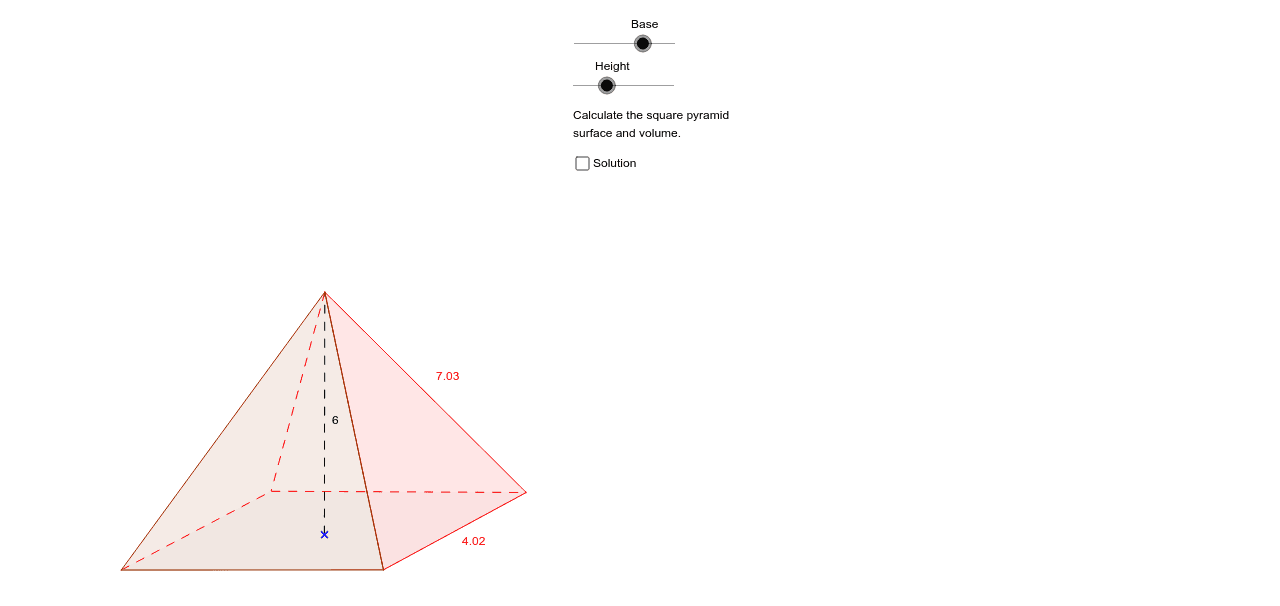
This activity helps students practice calculating the surface area and volume of a square pyramid. They can manipulate the base and height to observe changes. Key mathematical concepts include geometric construction, coordinate geometry, and calculus involving derivatives and integrals. GeoGebra commands used include Point, Segment, Polygon, etc. Suitable for high school mathematics education.
GeoGebra Commands & Parameters
Point(Circle[E, a]) → FSegment(E, F) → ePoint(Circle[E, a]) → GSegment(E, G) → fPoint(Circle[E, a / 3]) → HSegment(E, H) → gPoint(Circle[E, a / 3]) → ISegment(E, I) → hPolygon(G, H, F, I) → polígono2, g_1, h_1, f_1, iPoint(Circle[E, b]) → JSegment(E, J) → lSegment(J, H) → dPolygon(I, F, J) → polígono1, Base, Arista, f_2Polygon(G, I, J) → polígono3, j_1, g_2, i_2
AI Drawing Prompt Reference
Draw a square pyramid with a square base and an apex above the base. Start by placing the base center, then use two circles of different radii centered at the base center to locate the four base vertices and the apex's projection point. Connect the center to these points with auxiliary segments. Form the square base by connecting the four base vertices in order. Then connect the apex to adjacent base vertices to create three visible triangular side faces. The base side length and pyramid height are adjustable for surface area and volume calculations.
The prompt above was compiled from the original drawing commands and is for reference only.